OneKey
OneKey is a hardware wallet brand whose multi-chain devices range from compact USB models to touchscreen wallets with Bluetooth, NFC and QR-code signing, all managed in the OneKey App.
What Is OneKey?
OneKey is a hardware wallet brand of ONEKEY LIMITED, whose GitHub organisation lists Hong Kong as its location. It makes multi-chain devices and the OneKey App that manages them; the company says the app supports more than 100 blockchains.
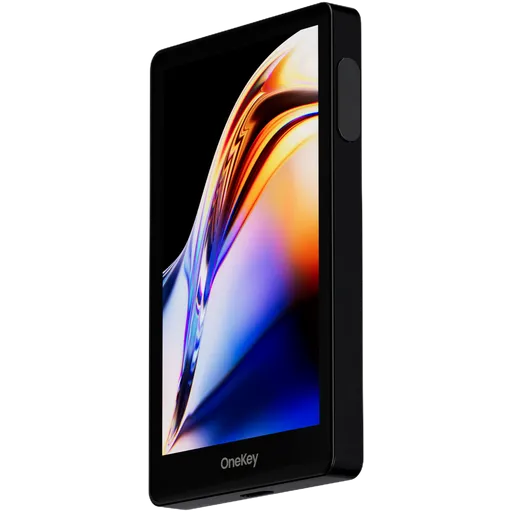
The range has two lines. The OneKey Classic 1S and the battery-free OneKey Classic 1S Pure are compact models with a small OLED screen. The OneKey Pro and OneKey Pro 2 add a colour touchscreen, Bluetooth, NFC and a camera for QR-code signing. The OneKey Neo has a touchscreen and a battery but no camera, so it signs over USB-C or Bluetooth.
Keys are held in secure elements, and the backup is a standard BIP39 recovery phrase of 12 or 24 words, so it is not tied to OneKey hardware. The Pro, Pro 2 and Neo also support SLIP-39, which splits the backup into several shares, and a passphrase can create .
The app and the microcontroller firmware for the Pro and Classic 1S are public on GitHub. The firmware that runs on the secure elements is closed on every model, and no public firmware repository for the Pro 2 and Neo had appeared as of November 2026. The app sends usage analytics and has no setting to turn them off.
A hardware wallet is a dedicated device that keeps private keys offline and signs transactions internally, so the keys never reach an internet-connected computer or phone.
A blockchain is a shared, append-only record of transactions kept by many independent computers, so no single party can rewrite it.
Read full definition: BlockchainA touchscreen display is a screen that allows users to interact with a device by touching the surface, commonly used in hardware wallets for easy navigation and transaction confirmation.
Read full definition: Touchscreen DisplayBluetooth Connectivity enables wireless communication between devices, like hardware wallets and smartphones, using Bluetooth or Bluetooth Low Energy (BLE) for secure data transfer.
Read full definition: Bluetooth ConnectivityNFC Connectivity in cryptocurrency enables contactless transactions using near-field communication, allowing users to sign or authorize actions by tapping their device to a reader.
Read full definition: NFC ConnectivityA secure element is a tamper-resistant chip built to store secrets and resist physical attacks such as side-channel analysis and fault injection.
Read full definition: Secure ElementA backup in cryptocurrency is a secure copy of a wallet's seed phrase or private keys. It enables recovery of funds if the original wallet is lost or damaged.
Read full definition: BackupBIP39 is a standard for generating mnemonic seed phrases that are used to create deterministic wallets and securely back up cryptocurrency private keys.
Read full definition: BIP39A mnemonic phrase is a set of words that stores a cryptocurrency wallet's private keys, allowing users to recover access if lost.
Read full definition: Mnemonic PhraseShamir Secret Sharing (SSS) divides a secret, like a crypto wallet seed, into multiple shares. A threshold number of shares reconstructs it, enhancing security as in SLIP-39 backups.
Read full definition: Shamir Secret SharingA passphrase is an additional security layer for cryptocurrency wallets, acting as a 25th word in the BIP39 seed phrase, protecting access to hidden wallets.
Read full definition: PassphraseFirmware is the software that runs on a hardware wallet itself: it generates keys, shows transaction details on the screen and signs.
Read full definition: FirmwareTelemetry is usage data, diagnostics and error reports that wallet software sends to its developer automatically. In some apps it can be switched off.
Read full definition: TelemetryReal-World Examples
Example 1: To keep a OneKey Pro off any cable or radio link, a user signs by QR code: the app shows the unsigned transaction as a QR code, the device's camera scans it, and the signed result goes back the same way.
Example 2: A OneKey Classic 1S stops working. Its owner enters the 24-word BIP39 phrase on a compatible wallet from another manufacturer and reaches the same accounts.
Example 3: On a OneKey Pro 2, a user creates a SLIP-39 backup and stores the shares in separate places, so that a single share found by someone else does not reveal the wallet.
QR Code Signing is a method used in cryptocurrency transactions where a QR code is generated to confirm and sign a transaction, enhancing security and user convenience.
Read full definition: QR Code SigningBIP39 is a standard for generating mnemonic seed phrases that are used to create deterministic wallets and securely back up cryptocurrency private keys.
Read full definition: BIP39Shamir Secret Sharing (SSS) divides a secret, like a crypto wallet seed, into multiple shares. A threshold number of shares reconstructs it, enhancing security as in SLIP-39 backups.
Read full definition: Shamir Secret SharingA backup in cryptocurrency is a secure copy of a wallet's seed phrase or private keys. It enables recovery of funds if the original wallet is lost or damaged.
Read full definition: BackupOneKey hardware wallets
Browse wallets grouped by this feature



Affiliate link — we may earn a commission at no extra cost to you. Learn more about affiliate links
Frequently Asked Questions
Can I restore a OneKey wallet without OneKey hardware?
Yes. The backup is a standard BIP39 recovery phrase of 12 or 24 words, so it is not tied to OneKey hardware. If a device stops working, its owner can enter the phrase on a compatible wallet from another manufacturer and reach the same accounts. A SLIP-39 backup, available on the Pro, Pro 2 and Neo, splits the backup into several shares instead.
Which parts of OneKey are open source?
The OneKey App and the microcontroller firmware for the Pro and Classic 1S are public on GitHub. The firmware that runs on the secure elements is closed on every model, and no public firmware repository for the Pro 2 and Neo had appeared as of November 2026. The app also sends usage analytics and has no setting to turn them off.
How do the OneKey Pro and Neo differ in how they sign?
The OneKey Pro and Pro 2 have a camera, so they can sign by QR code without any cable or radio link: the app shows the unsigned transaction as a QR code, the device scans it and the signed result goes back the same way. The Neo has a touchscreen and a battery but no camera, so it signs over USB-C or Bluetooth.
Ready to Choose a Secure Wallet?
Use our tools to find the right hardware wallet for your needs.