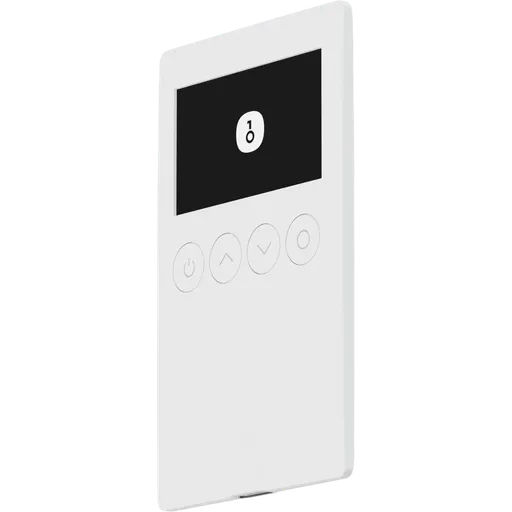
Keycard Shell is an air-gapped QR signer that holds no keys itself: the seed lives on a removable Keycard smart card with an NXP JCOP4 secure element. Its strengths are open, reproducible firmware, published hardware files and flexible backups across several cards. It supports only Bitcoin and EVM chains and needs a companion software wallet. It suits Bitcoin and Ethereum users who want an auditable, modular signer.
Security Warning
Avoid buying from unofficial marketplaces — counterfeit risk.
CertificationsCE / FCC Part 15 Class B (SDoC, model 'Shell', described as 'Smart card adapter') / ICES-003(B); CB report IEC 62368-1; EMC 2014/30/EU; RoHS/REACH. BL-4C battery: IEC 62133 / UL 2054 / UN 38.3.
Tamper evidenceNone physical by design; integrity checked by opening the case and comparing boards to published Gerber/pick-and-place files, plus cryptographic device verification with a verification counter
The Keycard Shell splits a hardware wallet into two parts, and that split is the main thing to understand before buying. Private keys are generated and stored only on the Keycard, a smart card built on an NXP JCOP4 P71 secure element with Common Criteria EAL6+ certification and a hardware random number generator. According to Keycard's documentation, the seed cannot be exported from the card. The Shell is a stateless signer: an STM32H573 microcontroller (PSA Certified Level 3 / SESIP3) drives the screen, keypad and camera, but the Shell has no secure element of its own and never holds key material.
The Shell has no Wi-Fi, Bluetooth or cellular hardware, and its card slot is contact-only. Traffic between Shell and card runs over Keycard's encrypted secure channel. A non-upgradable bootloader checks the vendor signature on every firmware image, and downgrades have been blocked since firmware 1.1.0.
Points to weigh:
The EAL6+ and PSA certifications cover the chips, not the Shell as a finished product.
No third-party audit report of the Shell firmware or Keycard applet has been published.
The case is designed to be opened easily and has no tamper-evident seals. Keycard instead offers a cryptographic genuineness check with a verification counter and publishes board files for visual comparison. This makes inspection possible, but the checking is left to the owner.
SecurityKey Factor
Seeds are generated on the card by its hardware random number generator as a 12- or 24-word BIP39 phrase, or imported from existing BIP39 words, a SeedQR code or SLIP-39 Shamir shares. With SLIP-39 the owner sets the total number of shares and the threshold needed to recover. A BIP39 passphrase (up to 255 characters since firmware 1.1.1) can open hidden wallets.
The card-based design adds a backup option that single-device wallets lack: the same seed can be loaded onto as many Keycards as needed, each with its own PIN and each usable on its own. Two cards come in the box, so a second working copy needs no extra purchase. Losing or breaking the Shell does not put funds at risk, because the Shell stores nothing and the card works in any Shell.
PIN protection also sits on the card. The 6-digit PIN blocks the card after three wrong attempts instead of wiping it. A 12-digit PUK (five attempts) unblocks it; once the PUK is exhausted, only a factory reset remains and the recovery phrase is needed. An optional duress PIN opens a decoy wallet and has to be set during setup.
There is no vendor or cloud backup, so phrases, shares and spare cards stay the owner's responsibility. Tangem Wallet (2 Cards, $54) also relies on multiple cards, but it connects over NFC rather than through a dedicated air-gapped signer.
Recovery & backups
The Shell has a 2.0-inch IPS colour screen (240×320), a physical 12-key keypad with digits plus Cancel and OK, a separate power button and a global-shutter camera for reading QR codes. It switches on when a card is inserted. There is no touchscreen and no wireless pairing: the software wallet shows the transaction as a QR code, the Shell scans and displays it, the owner confirms with the card PIN, and the Shell returns a signed QR code.
Keycard puts weight on what appears before signing. According to the product page, the Shell decodes ERC-20 transfers and approvals, ABI-encoded contract calls, EIP-712 typed data, Safe transactions and Permit/Permit2 signatures, and identifies change outputs in Bitcoin PSBTs. Data it cannot decode is shown raw.
Practical constraints:
The device interface is available in English only.
Setting up a card involves a PIN, a PUK, an optional duress PIN and the seed backup, so first-time setup has more steps than on a single-PIN device.
Firmware updates run over USB-C through a web updater or an offline updater app, and every update has to be confirmed on the device.
Dimensions and device weight are not published.
The BL-4C battery (800 mAh) is removable and can be replaced without tools; Keycard's current product page does not state a battery-life figure that could be checked.
Usability / UX
The Keycard Shell is a signer, not a self-contained wallet. Keycard, a Status subsidiary that is part of the Institute of Free Technology, offers no companion app and no account; balances, transaction building and broadcasting are handled by third-party software wallets that exchange QR codes with the Shell (ERC-4527 for EVM, BC-UR for Bitcoin). Keycard lists 15 compatible wallets, among them MetaMask, Rabby, Ambire, imToken, Status and Keycard Pal for Ethereum, Sparrow, BlueWallet, Nunchuk, Specter, Bitcoin Safe, Cove, Bull Bitcoin and UniSat for Bitcoin, and Bitget for both.
Coin coverage is narrow by design, because the Keycard signs only on the secp256k1 curve:
Bitcoin: legacy, nested and native SegWit, plus multisig (P2WSH, P2SH-P2WSH, P2SH) via PSBT; firmware 1.4.0 adds storing multisig descriptors.
Taproot: added in firmware 1.4.0 for cards running the Keycard v4 applet. The product page still says it is not supported yet, so it should not be assumed for every card.
Ethereum and EVM: Ethereum mainnet plus EVM networks and L2s, with chain names from an on-device database.
Not supported:Solana and other non-secp256k1 chains.
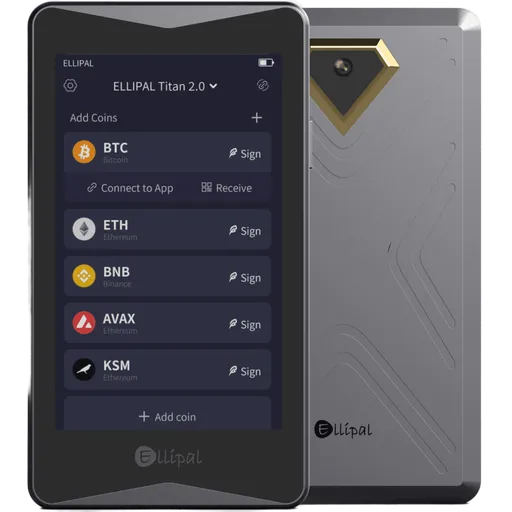
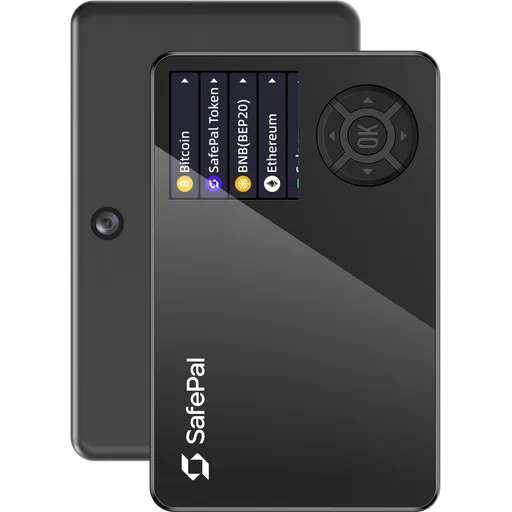
Buyers holding assets outside Bitcoin and EVM should compare the coin lists of other QR signers, such as the Ellipal Titan 2 ($169) or SafePal S1 ($49.99), before deciding.
Ecosystem & integrations
The Shell's privacy profile follows from what it lacks. There is no radio hardware, no Keycard companion app, no account and no registration, so the device has no channel for sending telemetry. Signing works fully offline over QR codes, and the USB-C data lines can be switched off in software, leaving the port for charging only. Firmware and its on-device database can also be updated from an air-gapped computer, with the files carried over on a USB drive.
According to the hardware specification, the Shell carries no branding, and the bundled Keycards are plain black cards, which makes the setup less conspicuous if found.
Two caveats:
The optional genuineness check runs against Keycard's verification service, which records the device's verification history and counter. That record is what lets the Shell flag unexpected earlier verifications, but it does mean contact with a Keycard server.
Network-level privacy, coin control and connecting to an own node depend on the chosen companion wallet, not on the Shell.
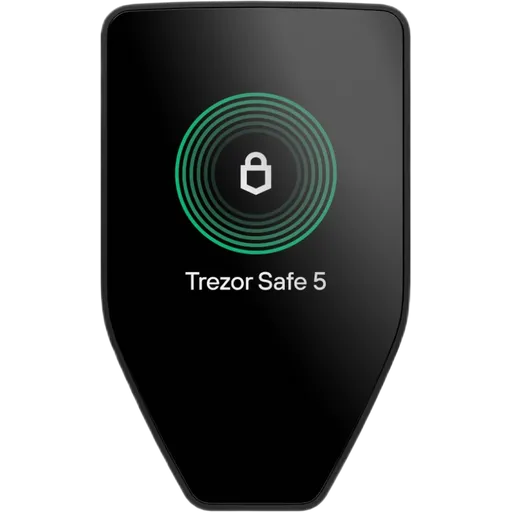
Compared with Bluetooth-equipped devices such as the Trezor Safe 7 ($249), the Shell exposes no wireless interface at all.
Privacy
At the time of writing the bundle costs $129, reduced from a regular $149, with VAT included for EU buyers; the official store lists these prices in euros at the same figures. The box contains the Shell, two Keycards, a removable BL-4C battery and a USB-C cable. According to the store, shipping is free worldwide and unopened units can be returned within 30 days.
What the price covers:
A dedicated air-gapped signer with camera, screen and physical keypad.
Two secure-element cards that can hold the same seed as backups.
Open, reproducible firmware and published hardware design files.
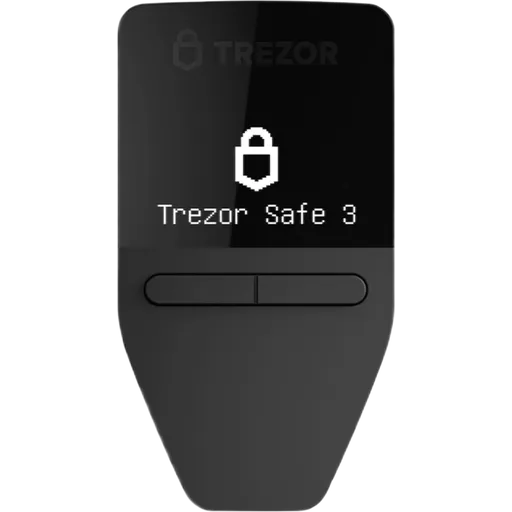
Value is limited by the narrow coin coverage and the dependence on third-party wallets. Among QR-based peers, the Keystone 3 Pro is listed at $149 and the Ellipal Titan 2 at $169, so the Shell costs $20 less than the Keystone and $40 less than the Ellipal. Buyers who do not need QR-based air-gapped signing can find lower-priced devices such as the Trezor Safe 3 ($59) or the Ledger Nano S Plus ($69).
Price & value
The Keycard Shell takes a different route from most hardware wallets by separating the signing device from key storage. Keys live on removable Keycards with an EAL6+ certified NXP secure element, while the Shell supplies the screen, keypad and camera for air-gapped QR signing and stores nothing itself. That brings concrete advantages: any number of identical backup cards, a Shell that can be lost or replaced without risk to funds, open and reproducible firmware, and published hardware files. The trade-offs are just as concrete. Support is limited to Bitcoin and EVM chains, Taproot is only arriving for v4 cards, every transaction depends on a third-party software wallet, the interface is English-only, and no independent audit report has been published. At $129 with two cards included, it is priced in line with other QR signers.
Buy this wallet if:
You hold Bitcoin and Ethereum or EVM tokens and want air-gapped QR signing with keys on a removable secure-element card.
You value open, reproducible firmware and the option to compare the hardware against published design files.
You want several identical backup cards or a duress PIN, or run Bitcoin multisig with a coordinator such as Sparrow or Nunchuk.
Skip this wallet if:
You need Solana or other non-EVM altcoins; compare the coin lists of QR signers such as the Ellipal Titan 2 ($169) or SafePal S1 ($49.99).
You would rather not scan QR codes through a third-party wallet for every transaction; USB devices such as the Trezor Safe 3 ($59) or Ledger Nano S Plus ($69) cost less.
You want a dedicated Bitcoin-only QR signer; the Coinkite Coldcard Q ($319) is built for Bitcoin only.
✓Our Verdict
The Keycard Shell takes a different route from most hardware wallets by separating the signing device from key storage. Keys live on removable Keycards with an EAL6+ certified NXP secure element, while the Shell supplies the screen, keypad and camera for air-gapped QR signing and stores nothing itself. That brings concrete advantages: any number of identical backup cards, a Shell that can be lost or replaced without risk to funds, open and reproducible firmware, and published hardware files. The trade-offs are just as concrete. Support is limited to Bitcoin and EVM chains, Taproot is only arriving for v4 cards, every transaction depends on a third-party software wallet, the interface is English-only, and no independent audit report has been published. At $129 with two cards included, it is priced in line with other QR signers.
Buy this wallet if:
You hold Bitcoin and Ethereum or EVM tokens and want air-gapped QR signing with keys on a removable secure-element card.
You value open, reproducible firmware and the option to compare the hardware against published design files.
You want several identical backup cards or a duress PIN, or run Bitcoin multisig with a coordinator such as Sparrow or Nunchuk.
Skip this wallet if:
You need Solana or other non-EVM altcoins; compare the coin lists of QR signers such as the Ellipal Titan 2 ($169) or SafePal S1 ($49.99).
You would rather not scan QR codes through a third-party wallet for every transaction; USB devices such as the Trezor Safe 3 ($59) or Ledger Nano S Plus ($69) cost less.
You want a dedicated Bitcoin-only QR signer; the Coinkite Coldcard Q ($319) is built for Bitcoin only.
Ready to buy Keycard Shell?
We may earn a commission if you purchase through our links. This doesn't affect our editorial independence.
Impermanent loss happens when asset prices in a liquidity pool diverge from external markets, reducing the value of liquidity providers' holdings compared to simply holding the assets.
EAL Certification (Evaluation Assurance Level) from Common Criteria rates the security of hardware components, like secure chips in crypto hardware wallets. Higher levels, such as EAL5+ or EAL6+, indicate stronger resistance to attacks.
A Random Number Generator (RNG) produces unpredictable numbers essential for cryptographic security in blockchain, such as generating private keys and nonces.
Encrypted communication in cryptocurrency and blockchain secures data transmission between wallets, nodes, or users using encryption techniques like end-to-end encryption, preventing unauthorized access.
A bootloader is a small program that initializes hardware and loads the main operating system or firmware on a device, often used in blockchain hardware wallets for secure startup.
BIP39 is a standard for generating mnemonic seed phrases that are used to create deterministic wallets and securely back up cryptocurrency private keys.
Shamir Secret Sharing (SSS) divides a secret, like a crypto wallet seed, into multiple shares. A threshold number of shares reconstructs it, enhancing security as in SLIP-39 backups.
A passphrase is an additional security layer for cryptocurrency wallets, acting as a 25th word in the BIP39 seed phrase, protecting access to hidden wallets.
A backup in cryptocurrency is a secure copy of a wallet's seed phrase or private keys. It enables recovery of funds if the original wallet is lost or damaged.
PIN Protection is a security feature that requires a personal identification number (PIN) to access a cryptocurrency wallet or device, preventing unauthorized access.
Recovery is the process of restoring access to a cryptocurrency wallet using its seed phrase or mnemonic backup if the original wallet is lost or inaccessible.
A Duress PIN is a special code used in cryptocurrency hardware wallets to trigger a response, such as wiping the device, in case of coercion or threat.
Plausible Deniability refers to the ability to deny knowledge or possession of cryptocurrency by using techniques like decoy wallets or hidden volumes, ensuring privacy under duress.
Vendor Backup is a service by hardware wallet manufacturers that securely stores encrypted seed phrase shards with third parties, enabling recovery without self-custody of the full seed.
Tangem is a hardware wallet in the form of a physical card that stores cryptocurrency private keys securely and offline, allowing for easy and portable access to digital assets.
Bitcoin (BTC) is the first decentralized cryptocurrency, launched in 2009. It uses blockchain technology for secure, peer-to-peer digital transactions without intermediaries.
A companion app is a software application used to manage and interact with cryptocurrency wallets or blockchain networks, typically offering features like transactions and security controls.
In cryptocurrency, a swap is the direct exchange of one token for another on a blockchain, often via decentralized exchanges (DEXs) without intermediaries.
Ethereum is a decentralized blockchain platform that enables smart contracts and decentralized applications (dApps). Its native cryptocurrency is Ether (ETH).
BlueWallet is a mobile Bitcoin wallet that allows users to securely store, send, and receive Bitcoin. It offers features like Lightning Network support and multi-sig capabilities.
Specter is a Bitcoin hardware wallet solution designed for advanced users, offering secure storage through a customizable, self-hosted setup with options like Specter Desktop and Specter DIY.
UTXO (Unspent Transaction Output) is a unit of cryptocurrency from a previous transaction that remains unspent and serves as input for new transactions in blockchains like Bitcoin.
An elliptic curve is a mathematical curve used in elliptic curve cryptography (ECC) for generating secure public-private key pairs in blockchains, like secp256k1 in Bitcoin.
SegWit (Segregated Witness) is a Bitcoin upgrade that moves transaction signatures to a separate data structure, increasing block capacity and enabling efficient scaling solutions like the Lightning Network.
Multisig (multi-signature) is a security feature that requires multiple private keys to authorize a transaction, enhancing protection against unauthorized access in blockchain networks.
PSBT (Partially Signed Bitcoin Transaction) is a Bitcoin transaction format that allows multiple parties to sign a transaction incrementally before finalizing it.
Taproot (BIP 341) is a Bitcoin upgrade that introduces Schnorr signatures and Tapscript, enhancing privacy by making complex scripts look like simple payments and improving efficiency.
Mainnet is the primary blockchain network where actual transactions occur, as opposed to testnets. It represents the live, functioning version of a blockchain.
Solana is a high-performance layer-1 blockchain platform that enables fast, low-cost transactions using Proof of History and Proof of Stake. Its native token is SOL.
Telemetry in cryptocurrency and blockchain refers to the automatic collection and transmission of anonymous usage data, metrics, and error reports from wallets or nodes to improve software.
Coin Control is a feature that allows users to manually select which unspent transaction outputs (UTXOs) to use in a transaction, giving more control over privacy and fees.
HODL is cryptocurrency slang for holding assets long-term despite price volatility, rather than selling. It originated from a 2013 forum post misspelling 'hold' as 'I AM HODLING.'
Offline Signing refers to signing cryptocurrency transactions on a device that is not connected to the internet, ensuring private keys remain secure from online threats.
Keycard Shell uses a certified Secure Element chip to store private keys in tamper-resistant hardware. Even if the device's software were compromised, the Secure Element isolates your keys from extraction. The firmware is open-source, meaning security researchers worldwide can audit the code for vulnerabilities.
What if Keycard goes out of business?
Keycard's firmware is open-source — even if the company disappears, the community can maintain the software. Your seed phrase works with any BIP39-compatible wallet, so your funds are always recoverable.
What if I lose my Keycard Shell?
Your cryptocurrency is stored on the blockchain, not on the device. If you lose your Keycard Shell, you can recover full access using your seed phrase on any compatible wallet. Keycard Shell also supports Shamir Secret Sharing, letting you split your backup across multiple secure locations.
How long will Keycard Shell receive security updates?
Check Keycard's website for the latest firmware update schedule.
Where are the private keys stored on the Keycard Shell?
Only on the Keycard smart card, inside its NXP JCOP4 P71 secure element. The Shell is a stateless signer that reads the card, shows transactions and returns signatures; it keeps no keys. If the Shell is lost or broken, the card works in another Shell. According to Keycard, the card can also be used without a Shell, via NFC with the Status mobile app or a USB smart-card reader with Status desktop or Sparrow.
Does the Keycard Shell have Bluetooth, Wi-Fi or NFC?
No. According to the hardware specification, the Shell has no Wi-Fi, Bluetooth or cellular hardware, and its card reader is contact-only, without NFC. Transactions move between the software wallet and the Shell as QR codes read by its camera. USB-C is used for charging and firmware updates, and its data lines can be switched off in software. The Keycard itself supports NFC when used without the Shell.
Is the Keycard Shell open source?
Largely. The Shell firmware is MIT-licensed with reproducible builds, so a build from source can be compared with the official release hash. The Keycard applet is public, and hardware design files are published under CERN-OHL-S. The JavaCard operating system of the NXP chip is not open. Open code allows independent review, but no third-party audit report of the Shell or applet has been published.
Which coins does the Keycard Shell support?
Bitcoin and Ethereum plus other EVM chains and L2s. Bitcoin support covers legacy and SegWit addresses and multisig via PSBT. Taproot was added in firmware 1.4.0 for cards with the Keycard v4 applet, while the product page still lists it as not supported yet, so it should not be assumed for every card. Solana and other chains outside the secp256k1 curve are not supported.
What happens if the wrong PIN is entered?
The 6-digit PIN is checked on the card. After three wrong attempts the card is blocked, not wiped. A 12-digit PUK unblocks it and allows five attempts; if those are used up, the card can only be factory-reset and the wallet restored from the recovery phrase, SLIP-39 shares or a backup card. An optional duress PIN, set during setup, opens a separate decoy wallet.
How does the Keycard Shell compare with the Keystone 3 Pro?
Both are air-gapped signers that work with software wallets over QR codes. The Keystone 3 Pro is listed at $149 and keeps keys inside the device, which uses three secure chips. The Keycard Shell costs $129, keeps keys on separate EAL6+ smart cards and includes two of them. The Shell's coin coverage is limited to Bitcoin and EVM, so buyers with other assets should check Keystone's coin list.
Some links on this page are affiliate links. If you purchase through them, I may earn a commission at no additional cost to you. This helps support the site and allows me to continue creating detailed, independent reviews.
Our rating methodology is evolving. Ratings and assessments will be refined as we improve our scoring framework to reflect the most accurate results.
Ready to Secure Your Crypto?
Find the right hardware wallet based on your needs, budget, and security priorities.