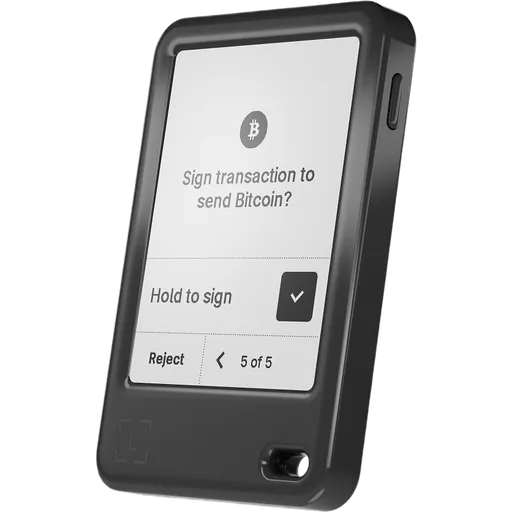
The OneKey Pro 2 is a $299 multi-chain touchscreen wallet launched in October 2026, with four THD89 secure elements (CC EAL6+), fingerprint unlock, QR air-gap signing and an NFC SeedCard backup in the box. A published Keylabs audit found no critical or high issues, but the firmware source is not yet public. It suits multi-chain users who want a phone-like device.
Security notice ·
October 2026: free replacement for OneKey devices bought from CryptoBilis
After Ledger found hardware implants in Ledger devices sold by the reseller CryptoBilis, OneKey ended CryptoBilis’s authorization, paused new resellers and began reviewing existing ones. OneKey says no OneKey user has reported losing funds and does not report finding a tampered OneKey device.
As a precaution, OneKey replaces for free any OneKey model bought from CryptoBilis between 1 March and 12 October 2026, activated or not, with proof of purchase. Apply through OneKey support by 31 December 2026; the old device does not need to be returned.
OneKey’s advice: do not activate an unused CryptoBilis unit. If a device from CryptoBilis already holds funds, move them now to a wallet with a newly generated recovery phrase rather than waiting for the replacement.
This concerns one reseller, not the device design, so it does not change our ratings.
The Pro 2 keeps keys in four THD89 secure elements from Tongxin Microelectronics (TMC), certified to CC EAL6+ according to the Keylabs audit. Three handle keys and cryptography and the fourth stores fingerprint templates; seed generation and signing happen inside the chips. Keylabs also lists an STM32H747 main processor, an nRF52832 Bluetooth chip and a PN7160 NFC controller.
Firmware is signature-checked before installation and again on every boot. Downgrade and rollback protection is enforced on the main processor but not yet anchored in the secure elements. OneKey's setup guide says the device wipes itself after 10 wrong PINs (or 5, depending on firmware version). A randomized PIN keypad and on-device Clear Signing are included.
Keylabs published its final audit of the Pro 2 and Neo on 6 October 2026, retested on firmware 1.0.0:
no critical or high findings; three medium findings fixed in 1.0.0
two low findings open: a crash record written by the fault handler, and a romloader filesystem interface reachable over USB before PIN entry
no active tamper-detection circuit on the device
OneKey also names SlowMist as an auditor, but no SlowMist report for the Pro 2 is public. There is no anti-klepto protocol. Sources conflict on app-to-device encryption: the device text says USB and Bluetooth connections are encrypted, while Keylabs lists USB as relying on the host.
SecurityKey Factor
The Pro 2 creates a standard BIP39recovery phrase of 12 or 24 words, a format that other BIP39-compatible wallets can generally restore. It also supports SLIP-39 split backups made of 20-word shares, and an optional passphrase that opens a separate hidden wallet, which is useful for keeping a smaller decoy balance apart from the main funds.
The box includes a paper recovery sheet and a OneKey SeedCard. According to OneKey, the SeedCard stores the recovery phrase in encrypted form protected by a PIN, and it is written or read by tapping it against the device over NFC. The original OneKey Pro can also back up to OneKey cards over NFC, but the Pro 2 is the model that includes one in the box.
Points to weigh before relying on the SeedCard:
It is a OneKey-specific format; a written BIP39 or SLIP-39 backup remains the vendor-independent fallback.
Restoring from the card requires its PIN, so that PIN needs its own secure record, stored apart from the card.
OneKey has not published technical details of the SeedCard's encryption beyond the PIN protection.
Overall, the recovery toolkit is broad: standard seed phrases for portability, Shamir-style shares for splitting a backup across locations, and an encrypted card for convenience. There is no vendor or cloud backup of the hardware seed, and BIP85 child seeds are not supported.
Recovery & backups
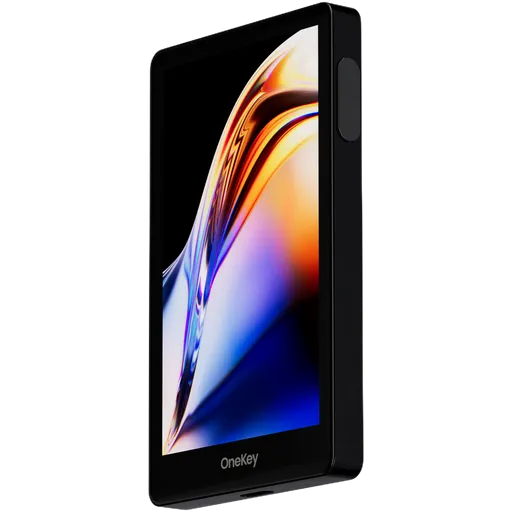
The Pro 2 is built around a 3.54-inch AMOLED touchscreen with a resolution of 1024×604, up to 800 nits of brightness, Gorilla Glass 5 and an anti-reflective coating. It runs safeOS 2, which OneKey describes as a ground-up rewrite with a new device protocol and an on-device portfolio view. Unlocking works by fingerprint or PIN.
The spec table lists dimensions of 84.9 × 53.2 × 6.2 mm and a weight of 51 g (the launch blog states 53 g), an aluminum frame and a frosted glass back. The 700 mAh battery charges over USB-C or 2.5 W wireless charging. OneKey's launch blog and press release also claim IP56 dust and splash resistance, but that rating does not appear in the product spec table.
The companion OneKey App runs on iOS 14+, Android 8+, Windows 10+, macOS 10.11+ and common Linux distributions, and connects by USB-C, Bluetooth or QR codes. Air-gap mode is off by default and has to be enabled in the device settings.
Compared with the OneKey Pro ($278), the Pro 2 is 1.4 mm thinner and 14 g lighter, has a higher-resolution panel (the Pro uses a 3.5-inch 480×800 IPS screen) and a larger battery (700 versus 530 mAh). The shipping firmware offers 17 interface languages.
Usability / UX
OneKey states that the OneKey App supports 100+ blockchains and 30,000+ coins and tokens with the Pro 2; a per-device network list has not been published yet. The product page names Bitcoin, Ethereum and Solana workflows explicitly, and the app covers sending, receiving, staking and trading, including in-app swaps.
For more advanced setups, the Pro 2 works as a hardware signer with:
Sparrow for Bitcoin
Safe for Ethereum multisig
Squads for Solana multisig
Multisig support is therefore at signer level: the device shows Bitcoin multisig addresses and cosigner xpubs, but on-device registration of multisig wallets is not documented. Clear Signing of token approvals and contract calls supports DeFi use, and OneKey says the device also works as a FIDO2 passkey authenticator. Offline TOTP codes and NFC tap-to-authenticate are announced for a future update and are not available yet.
The OneKey App and the hardware SDK, which already includes Pro 2 support, are public on GitHub. No Bitcoin-only firmware edition has been announced for the Pro 2, whereas the OneKey Pro and the Trezor Safe 7 ($249) offer optional Bitcoin-only firmware. Buyers who hold only Bitcoin may prefer a device with that option.
Ecosystem & integrations
The main privacy tool on the Pro 2 is its QR air-gap mode: once enabled in settings, it disables USB, Bluetooth and NFC data transfer, and transactions are signed through the built-in camera and on-screen QR codes. Broadcasting still requires the OneKey App on a phone or computer. No account registration is needed, but the OneKey App sends usage analytics tied to an app instance ID, with no user setting to turn them off.
Several privacy-related features that OneKey lists for the Pro 2 are not available yet:
Tor routing for the app, marked as coming soon
Coin Control for choosing which Bitcoin UTXOs a transaction spends, marked as coming soon
Apple Find My with a built-in buzzer, planned for a future update
Until these ship, the OneKey App offers no built-in Tor option and no UTXO selection, which matters mainly to Bitcoin users who manage address reuse and coin history carefully. Apple Find My, once released, is a location-tracking feature; whether to enable it is a decision each owner should make against their own threat model.
Buyers for whom offline signing is the central requirement could also consider the Keystone 3 Pro ($149), which signs through QR codes and has no Bluetooth or NFC. The Pro 2 offers the same kind of QR workflow, but as one mode among several connection options rather than as its only design.
Privacy
The OneKey Pro 2 costs $299. The bundle includes the OneKey SeedCard, a case (Fabric Folio or Magnetic) and six months of OneKey App Prime; OneKey values these extras at $257, a figure that is the vendor's own. The device launched on 8 October 2026; as of 26 October the buy page listed shipping within 2–3 weeks.
The closest comparison is the OneKey Pro at $278, which remains on sale. For $21 more, the Pro 2 adds a thinner and lighter body, an AMOLED display, a larger battery, a bundled SeedCard and the claimed IP56 rating. The Pro, in turn, has public MCU firmware source and Bitcoin-only builds, neither of which exists for the Pro 2 yet; both models now have a published audit.
Other wallets in a similar price range:
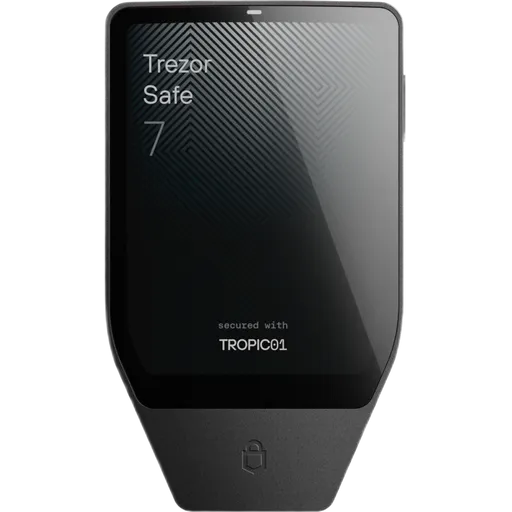
Trezor Safe 7 ($249): Bluetooth, EAL6+ secure element, optional Bitcoin-only firmware, no NFC or QR.
Ledger Flex ($249): Bluetooth and NFC, EAL6+ secure element, no QR camera.
Ledger Stax ($399): Bluetooth and NFC, EAL6+ secure element, no QR camera.
Among these, only the Pro 2 combines QR air-gap signing, Bluetooth and NFC in one device. Its price is backed mainly by hardware, display and bundle contents; the main open point on security is the unpublished firmware source.
Price & value
On paper, the OneKey Pro 2 is a thoroughly equipped multi-chain wallet: four secure elements that OneKey rates EAL6+, a 3.54-inch AMOLED touchscreen, fingerprint unlock, QR air-gap signing alongside USB-C, Bluetooth and NFC, and a broad recovery toolkit with BIP39, SLIP-39, passphrases and a bundled SeedCard. Compared with the OneKey Pro, it is thinner, lighter and has a larger battery. A Keylabs audit published on 6 October 2026 confirms four CC EAL6+ THD89 secure elements and found no critical or high issues, with two low findings still open. The main open question is verifiability: as of 26 October 2026 the Pro 2 firmware source is not public, so builds cannot be checked independently. Several announced features, including Tor, Coin Control, TOTP and Apple Find My, are not available yet.
Buy this wallet if:
You manage assets on many chains, including Ethereum or Solana multisig through Safe or Squads, and want a large touchscreen with Clear Signing.
You want QR air-gap signing and Bluetooth convenience in the same device.
You value the SeedCard and SLIP-39 backup options and accept that the firmware source is not yet public.
Skip this wallet if:
You need publicly verifiable firmware today: the OneKey Pro ($278) has public MCU firmware source and a published SlowMist audit.
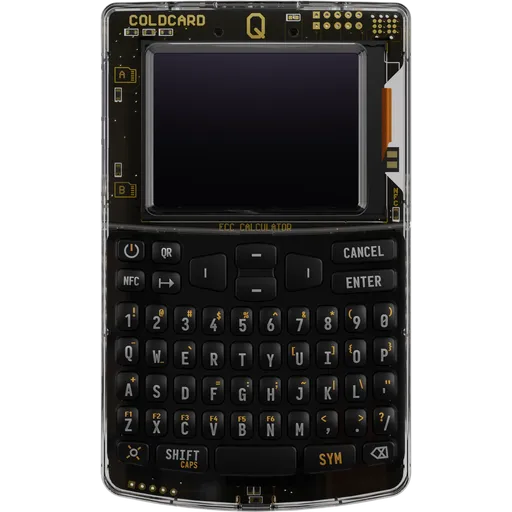
You hold only Bitcoin: the Trezor Safe 7 ($249) offers optional Bitcoin-only firmware, and the Coinkite Coldcard Q ($319) is Bitcoin-only.
You want offline signing without wireless radios: the Keystone 3 Pro ($149) signs through QR codes, with no Bluetooth or NFC.
✓Our Verdict
On paper, the OneKey Pro 2 is a thoroughly equipped multi-chain wallet: four secure elements that OneKey rates EAL6+, a 3.54-inch AMOLED touchscreen, fingerprint unlock, QR air-gap signing alongside USB-C, Bluetooth and NFC, and a broad recovery toolkit with BIP39, SLIP-39, passphrases and a bundled SeedCard. Compared with the OneKey Pro, it is thinner, lighter and has a larger battery. A Keylabs audit published on 6 October 2026 confirms four CC EAL6+ THD89 secure elements and found no critical or high issues, with two low findings still open. The main open question is verifiability: as of 26 October 2026 the Pro 2 firmware source is not public, so builds cannot be checked independently. Several announced features, including Tor, Coin Control, TOTP and Apple Find My, are not available yet.
Buy this wallet if:
You manage assets on many chains, including Ethereum or Solana multisig through Safe or Squads, and want a large touchscreen with Clear Signing.
You want QR air-gap signing and Bluetooth convenience in the same device.
You value the SeedCard and SLIP-39 backup options and accept that the firmware source is not yet public.
Skip this wallet if:
You need publicly verifiable firmware today: the OneKey Pro ($278) has public MCU firmware source and a published SlowMist audit.
You hold only Bitcoin: the Trezor Safe 7 ($249) offers optional Bitcoin-only firmware, and the Coinkite Coldcard Q ($319) is Bitcoin-only.
You want offline signing without wireless radios: the Keystone 3 Pro ($149) signs through QR codes, with no Bluetooth or NFC.
Ready to buy OneKey Pro 2?
We may earn a commission if you purchase through our links. This doesn't affect our editorial independence.
Impermanent loss happens when asset prices in a liquidity pool diverge from external markets, reducing the value of liquidity providers' holdings compared to simply holding the assets.
EAL Certification (Evaluation Assurance Level) from Common Criteria rates the security of hardware components, like secure chips in crypto hardware wallets. Higher levels, such as EAL5+ or EAL6+, indicate stronger resistance to attacks.
Downgrade protection prevents blockchain nodes from accepting blocks from older protocol versions, blocking rollbacks to vulnerable states via version checks.
Clear Signing is a process in blockchain where transaction data is displayed in human-readable form before being signed, ensuring transparency and preventing blind signing risks.
Anti-Klepto Protocol is a blockchain security mechanism that prevents unauthorized data exfiltration by verifying nonces to ensure transaction authenticity and integrity.
BIP39 is a standard for generating mnemonic seed phrases that are used to create deterministic wallets and securely back up cryptocurrency private keys.
Recovery is the process of restoring access to a cryptocurrency wallet using its seed phrase or mnemonic backup if the original wallet is lost or inaccessible.
Shamir Secret Sharing (SSS) divides a secret, like a crypto wallet seed, into multiple shares. A threshold number of shares reconstructs it, enhancing security as in SLIP-39 backups.
A passphrase is an additional security layer for cryptocurrency wallets, acting as a 25th word in the BIP39 seed phrase, protecting access to hidden wallets.
A hidden wallet conceals a secondary cryptocurrency wallet behind an additional passphrase on the same seed, providing plausible deniability against coercion.
A Recovery Card is a physical card or sheet for backing up a cryptocurrency wallet's seed phrase, enabling recovery if the original wallet is lost or damaged.
A backup in cryptocurrency is a secure copy of a wallet's seed phrase or private keys. It enables recovery of funds if the original wallet is lost or damaged.
PIN Protection is a security feature that requires a personal identification number (PIN) to access a cryptocurrency wallet or device, preventing unauthorized access.
Vendor Backup is a service by hardware wallet manufacturers that securely stores encrypted seed phrase shards with third parties, enabling recovery without self-custody of the full seed.
BIP85 is a Bitcoin Improvement Proposal for generating child seeds from a master seed, providing deterministic entropy for use in secure key derivation and backup processes.
Bitcoin (BTC) is the first decentralized cryptocurrency, launched in 2009. It uses blockchain technology for secure, peer-to-peer digital transactions without intermediaries.
Ethereum is a decentralized blockchain platform that enables smart contracts and decentralized applications (dApps). Its native cryptocurrency is Ether (ETH).
Solana is a high-performance layer-1 blockchain platform that enables fast, low-cost transactions using Proof of History and Proof of Stake. Its native token is SOL.
An external signer is a hardware wallet or remote device that signs cryptocurrency transactions securely, keeping private keys isolated from the connected software wallet.
Multisig (multi-signature) is a security feature that requires multiple private keys to authorize a transaction, enhancing protection against unauthorized access in blockchain networks.
A cosigner is one of multiple parties in a multisig wallet who signs transactions with their private key. All required cosigners must approve before the transaction executes.
DeFi (Decentralized Finance) refers to a set of financial services, such as lending and trading, built on blockchain technology without traditional intermediaries like banks.
Passkeys are a form of passwordless authentication using cryptographic keys for secure, phishing-resistant logins in blockchain and crypto applications.
HODL is cryptocurrency slang for holding assets long-term despite price volatility, rather than selling. It originated from a 2013 forum post misspelling 'hold' as 'I AM HODLING.'
Telemetry in cryptocurrency and blockchain refers to the automatic collection and transmission of anonymous usage data, metrics, and error reports from wallets or nodes to improve software.
Coin Control is a feature that allows users to manually select which unspent transaction outputs (UTXOs) to use in a transaction, giving more control over privacy and fees.
UTXO (Unspent Transaction Output) is a unit of cryptocurrency from a previous transaction that remains unspent and serves as input for new transactions in blockchains like Bitcoin.
Address reuse happens when a user sends multiple transactions to the same cryptocurrency wallet address. This compromises privacy by linking transactions and revealing total balances on the blockchain.
Offline Signing refers to signing cryptocurrency transactions on a device that is not connected to the internet, ensuring private keys remain secure from online threats.
OneKey Pro 2 uses a certified Secure Element chip to store private keys in tamper-resistant hardware. Even if the device's software were compromised, the Secure Element isolates your keys from extraction. The firmware is open-source, meaning security researchers worldwide can audit the code for vulnerabilities. The device has been independently security audited.
What if OneKey goes out of business?
OneKey's firmware is open-source — even if the company disappears, the community can maintain the software. Your seed phrase works with any BIP39-compatible wallet, so your funds are always recoverable.
What if I lose my OneKey Pro 2?
Your cryptocurrency is stored on the blockchain, not on the device. If you lose your OneKey Pro 2, you can recover full access using your seed phrase on any compatible wallet. OneKey Pro 2 also supports Shamir Secret Sharing, letting you split your backup across multiple secure locations.
How long will OneKey Pro 2 receive security updates?
Check OneKey's website for the latest firmware update schedule.
Is the OneKey Pro 2 safe to use?
Keys are generated and stored in four THD89 secure elements certified to CC EAL6+, protected by secure boot, fingerprint and PIN, with Clear Signing on the device screen. Keylabs' published audit of 6 October 2026 found no critical or high issues; three medium findings were fixed in firmware 1.0.0 and two low ones remain open. The firmware source is not yet public, so builds cannot be checked independently.
Is the OneKey Pro 2 firmware open source?
OneKey states that safeOS 2 is open source. As of 26 October 2026, however, no public Pro 2 firmware repository or release could be found; the existing firmware-pro repository covers the original OneKey Pro. The OneKey App and the hardware SDK are public. Until the safeOS 2 source is published, the firmware claim cannot be checked independently.
Can the OneKey Pro 2 be used without Bluetooth?
Yes. Besides USB-C, the Pro 2 offers a QR air-gap mode that signs transactions with the built-in camera and on-screen QR codes. According to OneKey's SDK documentation, this mode disables USB, Bluetooth and NFC data and has to be enabled in the device settings. Bluetooth remains available for owners who prefer pairing with a phone.
How does backup and recovery work on the OneKey Pro 2?
The device generates a 12- or 24-word BIP39 recovery phrase, supports 20-word SLIP-39 shares for split backups and offers an optional passphrase for hidden wallets. The box contains a paper recovery sheet and a OneKey SeedCard, an NFC card that stores the phrase in PIN-encrypted form. A written BIP39 phrase remains the most portable backup.
Which coins does the OneKey Pro 2 support?
OneKey lists 100+ blockchains and 30,000+ coins and tokens through the OneKey App, with Bitcoin, Ethereum, Solana and XRP among the featured assets. A device-specific network list for the Pro 2 has not been published yet, and no Bitcoin-only firmware edition is currently offered for this model.
OneKey Pro 2 or OneKey Pro: which one makes more sense?
The Pro 2 ($299) is thinner and lighter (6.2 mm and 51 g versus 7.6 mm and 65 g), has a 3.54-inch AMOLED screen instead of a 3.5-inch IPS panel, a 700 mAh battery instead of 530 mAh, and a bundled SeedCard. The OneKey Pro ($278) has public MCU firmware source and Bitcoin-only builds, which favours it for buyers who prioritise verifiable firmware; both models have a published audit.
Some links on this page are affiliate links. If you purchase through them, I may earn a commission at no additional cost to you. This helps support the site and allows me to continue creating detailed, independent reviews.
Our rating methodology is evolving. Ratings and assessments will be refined as we improve our scoring framework to reflect the most accurate results.
Ready to Secure Your Crypto?
Find the right hardware wallet based on your needs, budget, and security priorities.