Trezor Model T (2018, discontinued January 2026): USB-C wallet with a 1.54-inch colour touchscreen, open-source firmware, Multi-share backup and a microSD slot, but no secure element.
By the WalletInsights editorial team
Trezor no longer sells this model. The review stays online for current owners; if you are buying today, start with a model that is still on sale. See current alternatives
53/100Overall Rating
Official price$129
Quick Verdict
The Trezor Model T, launched in 2018, was Trezor's first touchscreen wallet. Trezor stopped selling it on 8 January 2026; it promises software updates until at least 2031 and critical security fixes until at least 2036. It has open-source firmware, a 1.54-inch colour touchscreen for entering the PIN and passphrase, clear signing, Shamir-based Multi-share backup and support for every network on Trezor's current list. It has no secure element: published physical attacks can extract the seed unless you use a passphrase. Its successor is the Trezor Safe 5.
Security notice ·
October 2026: suspected implant in a Trezor bought from CryptoBilis
On 28 October 2026 Trezor received a report from a buyer in Indonesia of an extra circuit board inside a Trezor Safe 5 bought in August 2026 from CryptoBilis, the same Southeast Asian reseller whose Ledger devices carried hardware implants. According to the report, the board sits between the main board and the screen, reads what the screen shows, including the recovery phrase, and sends it out over a mobile network. Trezor has not yet examined the device, calls the report credible and is having the unit sent to its lab.
Trezor says it has no reports involving any other reseller and no evidence that any customer has lost funds; the person who reported the implant had already moved their funds. Trezor removed CryptoBilis from its authorized resellers on 9 October 2026.
Trezor’s advice applies to every Trezor model bought from CryptoBilis from March 2026 onwards:
If the device is not set up yet, do not set it up and never enter an existing recovery phrase on it.
If you already use it, move your funds as soon as possible to a new wallet with a newly generated recovery phrase. Restoring the old phrase on another device does not help.
Keep the device and contact Trezor Support: affected buyers can get a new device or a voucher. Do not open it; Trezor says weighing it is not a reliable test.
The report concerns how one device reached a buyer, not the device design, so it does not change our ratings. We will update this notice when Trezor publishes the result of its examination.
Known incidentsNo secure element: the seed sits (PIN-encrypted) in the STM32F427 flash, and physical extraction attacks are public and not fixable in firmware. (1) Ledger Donjon, 2019: physical key-extraction attack on Trezor One/Model T, "can never be patched by a firmware update" mitigation: strong passphrase. (2) Kraken Security Labs, 31 Jan 2020: voltage glitching extracts the encrypted seed with ~15 min of physical access, then the PIN is brute-forced Trezor and Kraken both point to a BIP39 passphrase (not stored on device) as the mitigation. (3) Unciphered, May 2023: demonstrated seed extraction from a Trezor T in its possession Trezor's CTO linked it to the known RDP-downgrade issue and said a strong passphrase "renders a RDP downgrade useless". Trezor's own guidance: Model T has no hardware PIN rate-limiting, so use a long random PIN. Firmware-level issues are patched in regular releases (e.g. 2.13.0, Oct 2026: Monero payment-ID and Solana/Cardano display fixes) a Trezor T bootloader header-check issue reported 29 Sep 2026 affected only unreleased code. No remote key-extraction vulnerability has been published.
PIN storagePBKDF2-HMAC-SHA256 (2 x 10,000 iterations) with random + device-bound salt; derived key decrypts ChaCha20-Poly1305-encrypted storage; optional microSD secret
Connectivity4 items
USB ConnectionYes
BluetoothNo
NFCNo
QR CodeNo
Physical Characteristics7 items
Dimensions64 × 39 × 10 mm
Weight22g
DisplayColor Touchscreen (1.54")
Body MaterialPC/ABS thermoplastic casing; LCD touchscreen with a transparent polymer-blend cover
Water ResistanceNo
BatteryNo
Tamper evidenceHolographic seal over the USB-C connector; ultrasonically welded case
The Model T stores its PIN-encrypted seed in a general-purpose STM32F427 microcontroller and has no secure element. Physical seed-extraction attacks have been published by Ledger Donjon (2019), Kraken Security Labs (2020) and Unciphered (2023); Trezor says they cannot be fixed in firmware, and recommends a passphrase, which is never stored on the device and defeats them. Remote protections are strong: firmware and hardware are open source, builds are reproducible, a write-protected boardloader and the bootloader check Trezor's signatures, Trezor Suite checks firmware authenticity, and the device wipes itself after 16 wrong PIN attempts. Firmware downgrades below security fixes wipe the device. The USB link to the computer uses Trezor's older, unencrypted protocol.
SecurityKey Factor
New wallets default to a 20-word single-share backup (SLIP-39), which you can later turn into a Multi-share backup: several shares, a chosen number of which restore the wallet. Standard 12- and 24-word BIP39 phrases are also supported, for portability to other wallets. A passphrase for hidden wallets is entered on the touchscreen. The microSD slot can store an extra secret that protects the PIN, but it is not a seed backup. Trezor does not keep backups.
Recovery & backups
The 1.54-inch colour touchscreen (240 × 240 pixels) shows transaction details in readable form and takes PIN, passphrase and recovery words directly on the device. You use it through Trezor Suite on Windows, macOS, Linux or Android over USB-C; on iPhone Suite can only view balances. The interface is available in English, Czech, German, Spanish, French, Indonesian and Portuguese. Compared with the Safe 5, the screen is the same size but has no Gorilla Glass and no haptic feedback. Our usability and backup-ease scores are editorial estimates anchored to the Trezor Safe 5.
Usability / UX
Unlike the Model One, the Model T supports every network on Trezor's current list, including Cardano, Solana, XRP, Tron and (through third-party wallets) Monero. Trezor promises basic maintenance and new coin support until at least 2031. It works with MetaMask, Electrum and Sparrow (including Bitcoinmultisig), connects to dapps through WalletConnect in Trezor Suite, and can act as a FIDO2 security key. An optional Bitcoin-only firmware removes all other coins.
Ecosystem & integrations
Trezor Suite can route traffic through Tor, offers coin control, and can connect to your own node instead of Trezor's servers. No account is required. Suite asks for permission before collecting anonymous usage data, and you can turn it off in settings. CoinJoin in Trezor Suite ended for all devices in June 2024. The device has no wireless radios.
Privacy
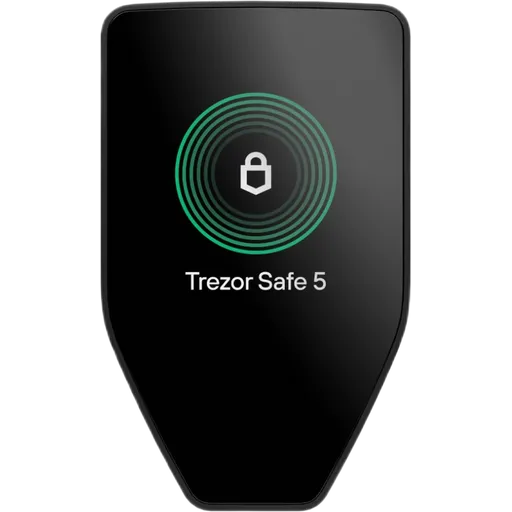
Trezor's last list price was $129 (down from $179 in early 2024) before it stopped selling the Model T in January 2026; some resellers may still have stock. Owners can keep using it with a passphrase and receive updates. For a new purchase, the Trezor Safe 5 is the direct successor: the same screen size and features, plus a secure element, Gorilla Glass and haptic feedback.
Price & value
The Model T is a capable wallet that is still supported: open-source firmware, a touchscreen for entering secrets on the device, clear signing, Multi-share backup and full coin support, with updates promised to 2031 and security fixes to 2036. Its weakness is the missing secure element, which makes physical extraction of the seed possible — so owners should use a passphrase.
Trezor no longer sells it, and the Trezor Safe 5 offers the same experience with a secure element. For existing owners who use a passphrase, there is no urgent reason to switch; for new buyers, the Safe 5 is the better choice.
✓Our Verdict
The Model T is a capable wallet that is still supported: open-source firmware, a touchscreen for entering secrets on the device, clear signing, Multi-share backup and full coin support, with updates promised to 2031 and security fixes to 2036. Its weakness is the missing secure element, which makes physical extraction of the seed possible — so owners should use a passphrase.
Trezor no longer sells it, and the Trezor Safe 5 offers the same experience with a secure element. For existing owners who use a passphrase, there is no urgent reason to switch; for new buyers, the Safe 5 is the better choice.
DefiImpermanent Loss
Impermanent loss happens when asset prices in a liquidity pool diverge from external markets, reducing the value of liquidity providers' holdings compared to simply holding the assets.
SecurityPIN Protection
PIN Protection is a security feature that requires a personal identification number (PIN) to access a cryptocurrency wallet or device, preventing unauthorized access.
A passphrase is an additional security layer for cryptocurrency wallets, acting as a 25th word in the BIP39 seed phrase, protecting access to hidden wallets.
A bootloader is a small program that initializes hardware and loads the main operating system or firmware on a device, often used in blockchain hardware wallets for secure startup.
Auto-Wipe is a security feature that automatically erases a device's data after a set number of failed login attempts, protecting sensitive information in cryptocurrency hardware wallets.
A backup in cryptocurrency is a secure copy of a wallet's seed phrase or private keys. It enables recovery of funds if the original wallet is lost or damaged.
Shamir Secret Sharing (SSS) divides a secret, like a crypto wallet seed, into multiple shares. A threshold number of shares reconstructs it, enhancing security as in SLIP-39 backups.
BIP39 is a standard for generating mnemonic seed phrases that are used to create deterministic wallets and securely back up cryptocurrency private keys.
A hidden wallet conceals a secondary cryptocurrency wallet behind an additional passphrase on the same seed, providing plausible deniability against coercion.
A touchscreen display is a screen that allows users to interact with a device by touching the surface, commonly used in hardware wallets for easy navigation and transaction confirmation.
Recovery is the process of restoring access to a cryptocurrency wallet using its seed phrase or mnemonic backup if the original wallet is lost or inaccessible.
Haptic feedback in crypto hardware wallets uses device vibrations to confirm user actions, like button presses or transaction approvals, providing tactile alerts without relying on screens.
Cardano is a proof-of-stake blockchain platform that prioritizes research-driven development, scalability, and sustainability. Its native cryptocurrency is ADA.
Solana is a high-performance layer-1 blockchain platform that enables fast, low-cost transactions using Proof of History and Proof of Stake. Its native token is SOL.
TRON is a blockchain platform and cryptocurrency (TRX) designed for high-throughput decentralized applications, especially in content sharing and entertainment.
Monero (XMR) is a privacy-focused cryptocurrency that uses ring signatures, stealth addresses, and RingCT to obscure sender, receiver, and transaction amounts on the blockchain.
Electrum is a lightweight Bitcoin wallet that allows users to store, send, and receive Bitcoin securely. It is known for its speed and low resource usage.
Bitcoin (BTC) is the first decentralized cryptocurrency, launched in 2009. It uses blockchain technology for secure, peer-to-peer digital transactions without intermediaries.
Multisig (multi-signature) is a security feature that requires multiple private keys to authorize a transaction, enhancing protection against unauthorized access in blockchain networks.
WalletConnect is a protocol that enables secure communication between decentralized applications (dApps) and mobile wallets through QR code scanning or deep linking.
Coin Control is a feature that allows users to manually select which unspent transaction outputs (UTXOs) to use in a transaction, giving more control over privacy and fees.
CoinJoin is a privacy technique in cryptocurrency where multiple users combine their transactions, making it harder to trace individual senders and receivers.
Open Source Firmware refers to firmware in hardware devices, like wallets, where the source code is publicly available, allowing transparency, auditability, and customization.
Clear Signing is a process in blockchain where transaction data is displayed in human-readable form before being signed, ensuring transparency and preventing blind signing risks.
Trezor Model T does not use a Secure Element, but relies on other security measures. Your private keys never leave the device and all transactions must be physically confirmed on screen. The firmware is open-source, meaning security researchers worldwide can audit the code for vulnerabilities.
What if Trezor goes out of business?
Trezor's firmware is open-source — even if the company disappears, the community can maintain the software. Your seed phrase works with any BIP39-compatible wallet, so your funds are always recoverable.
What if I lose my Trezor Model T?
Your cryptocurrency is stored on the blockchain, not on the device. If you lose your Trezor Model T, you can recover full access using your seed phrase on any compatible wallet. Trezor Model T also supports Shamir Secret Sharing, letting you split your backup across multiple secure locations.
How long will Trezor Model T receive security updates?
Trezor provides long-term firmware support for Trezor Model T. The last security patch was released Oct 2026.
Is the Trezor Model T still safe to use?
Yes, with a passphrase. Published attacks can extract its seed with physical access, but a passphrase is not stored on the device and defeats them. Trezor promises critical security fixes until at least 2036.
Is the Trezor Model T discontinued?
Yes. Trezor stopped selling it on its e-shop on 8 January 2026. It still receives firmware updates; the latest, 2.13.0, was released in October 2026.
What replaced the Trezor Model T?
The Trezor Safe 5, which keeps the 1.54-inch touchscreen and adds a secure element, Gorilla Glass and haptic feedback.
Does the Trezor Model T have a secure element?
No. It stores the PIN-encrypted seed in a standard STM32 microcontroller. All Trezor Safe models add a secure element.
What is the microSD slot on the Trezor Model T for?
It can hold an extra secret that protects the PIN (SD card protection), and is used for some bootloader updates. It is not used to back up the seed or to sign transactions offline.
Does the Trezor Model T work with iPhone?
Only for viewing balances: Trezor Suite on iOS cannot sign transactions with the Model T. Signing works on Windows, macOS, Linux and Android.
Some links on this page are affiliate links. If you purchase through them, I may earn a commission at no additional cost to you. This helps support the site and allows me to continue creating detailed, independent reviews.
Our rating methodology is evolving. Ratings and assessments will be refined as we improve our scoring framework to reflect the most accurate results.
Ready to Secure Your Crypto?
Find the right hardware wallet based on your needs, budget, and security priorities.