Key Takeaways
- Trezor has open-source firmware; Bitkey uses proprietary code
- Trezor offers more wallet choices (3 models)
- Top-rated model: Trezor Safe 7 (81/100, $249)
Trezor vs Bitkey: Brand Overview
Trezor and Bitkey represent two fundamentally different approaches to hardware wallet design and security philosophy. Trezor, founded in 2013, has developed a lineup of 3 wallet models targeting different user needs. Bitkey, established in ?, offers 1 models in its current portfolio. This comparison analyzes both brands across the dimensions that matter most to crypto holders: security architecture, open-source transparency, supported cryptocurrencies, pricing, and long-term reliability. Our analysis is based on 40+ independently verified specifications — no opinions, just verifiable data. Read on for a detailed breakdown to help you make an informed choice.
Specs verified October 27, 2026 ·
This page compares Trezor and Bitkey as brands — their philosophy, track record, and product lineups. For head-to-head comparisons of specific wallet models, see the links below.
Compare Specific Models
Looking for a head-to-head comparison of specific wallets?
Quick Verdict: Trezor vs Bitkey

Choose Trezor if you need:
- transparency and auditability
Both brands make reliable hardware wallets. Your choice depends on whether you prioritize transparency and auditability (Trezor) or (Bitkey).
Trezor
Trezor hardware wallets are made by SatoshiLabs, founded in Prague in 2013. The current Safe series runs from the Safe 3 at $59 to the Bluetooth-equipped Safe 7 at $249. Trezor publishes its device firmware as open source, and its Trezor Suite app includes a built-in Tor option.

Bitkey
Bitkey is the Bitcoin wallet system from Block, Inc. Its current device, Bitkey ($250), has a touchscreen and fingerprint sensor and uses 2-of-3 multisig without a seed phrase: keys sit in the app, the device and a Block server, and Block alone cannot move funds.
Top Models: Trezor vs Bitkey Compared
Best wallets from each brand (by rating)
Comparison Table
Key specifications for your decision
| Criteria | 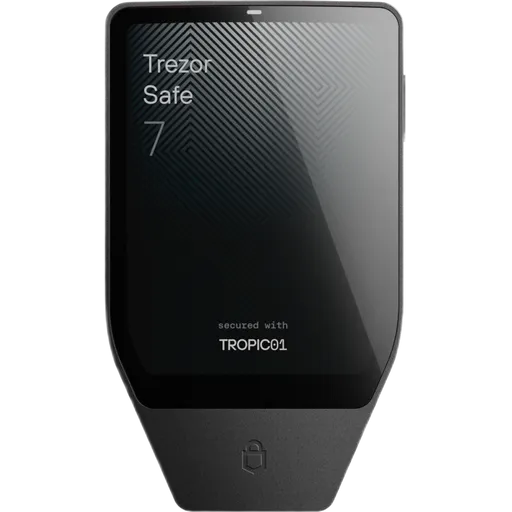 Trezor Safe 7 Trezor $249 | 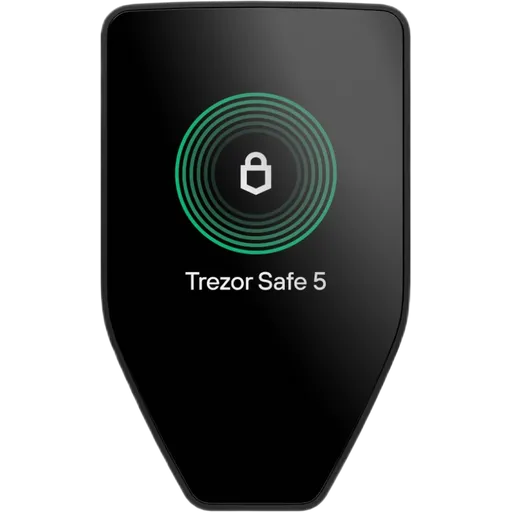 Trezor Safe 5 Trezor $129 |  Bitkey Bitkey $250 |
|---|---|---|---|
Overall Rating | 81 | 78 | 40 |
Security | 93 | 86 | 48 |
Usability | 76 | 68 | 77 |
Price | $249 | $129 | $250 |
Secure Element | Yes | Yes | No |
Open Source | Firmware | Firmware | Firmware |
Bluetooth | Yes | No | No |
USB | Yes | Yes | No |
Networks | 52+ | 52+ | 1+ |
Passphrase | Yes | Yes | No |
Display | Color Touchscreen | Color Touchscreen | OLED Touchscreen |
Backup Method | 20-word + Shamir | 20-word + Shamir | Seedless multisig |
Setup Time | ~5 min | ~15 min | ~10 min |
Water Resist | IP54 | None | None |
About Selection
The table shows top 2 models from each brand with the highest overall rating. This allows comparing the best offerings from each manufacturer.
Price Comparison: Trezor vs Bitkey
Price ranges and value for money
Trezor or Bitkey: Our Recommendations
Recommendations based on brand philosophy and products
Trezor
Best for: transparency and auditability
- Open-source philosophy
- Long market presence
Affiliate link — we may earn a commission at no extra cost to you. Learn more
Bitkey
- Closed-source approach
- Limited model selection
Affiliate link — we may earn a commission at no extra cost to you. Learn more
Trezor vs Bitkey: In-Depth Analysis
Is Trezor or Bitkey More Secure?
Trezor offers open-source firmware, giving the community full visibility into its code. Bitkey takes a proprietary approach, relying on third-party security audits instead. Neither approach is inherently better — open-source enables community verification, while proprietary code can offer other protections. The right choice depends on how much you value code transparency.
Trezor vs Bitkey: Which Is Better for Beginners?
For beginners, the key factors are ease of setup, companion app quality, and educational resources. Trezor offers 3 models starting at $59, while Bitkey starts at $250. A lower entry price doesn't always mean a better beginner experience — consider screen size, mobile app support, and the breadth of setup guides when making your decision.
What Does the Crypto Community Think About Trezor vs Bitkey?
Community opinions vary based on individual priorities. Security-focused users tend to favor brands with open-source firmware and proven track records. Budget-conscious users compare entry-level pricing. Our ratings aggregate 40+ objective specifications rather than subjective opinions — check our methodology page for the full scoring breakdown.
Brand Selection Checklist
Important points to verify before making your purchase
Ready to buy? Check all items first
Trezor vs Bitkey: Frequently Asked Questions
Answers about Trezor vs Bitkey
Which is better: Trezor or Bitkey?
Which brand is more secure: Trezor or Bitkey?
Is Trezor a trustworthy hardware wallet brand?
Is Bitkey a trustworthy hardware wallet brand?
How many wallets does Trezor vs Bitkey offer?
Is Trezor open-source?
Is Bitkey open-source?
How much do Trezor and Bitkey wallets cost?
More Comparisons
Compare Trezor with other brands

Trezor vs Blockstream
Open-source Trezor vs closed firmware — transparency vs convenience

Trezor vs OneKey
Both brands offer Bitcoin-only firmware, but the Trezor Safe 7 ($249) has Bluetooth without NFC or a QR camera, while the OneKey Pro ($278) has all three.

Trezor vs SafePal
The Trezor Safe 3 ($59) has no Bluetooth, NFC or QR camera, while the SafePal S1 ($49.99) signs through QR codes and the X1 ($69.99) adds Bluetooth.
Ready to Protect Your Crypto?
Buy directly from the official manufacturer store — guaranteed authentic device.