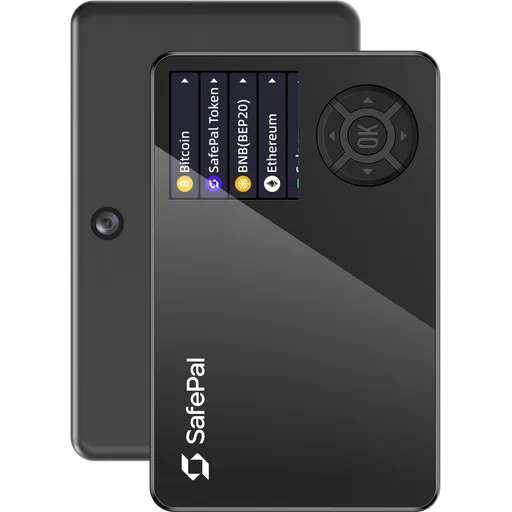
Secure ElementQR200+ networks
Coinkite Coldcard Q vs Keystone Pro 3 vs OneKey Classic 1S vs OneKey Pro
Comparing 4 wallets: Coinkite Coldcard Q (70/100, $259.99), Keystone Pro 3 (81/100, $149), and OneKey Classic 1S (71/100, $99), OneKey Pro (91/100, $278). Prices range from $99 to $278.
4 wallets
USB vs NFC
$179 price gap
Quick VerdictUpdated 2026
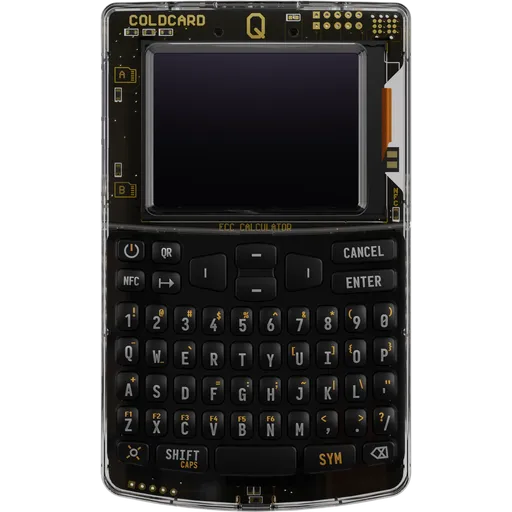
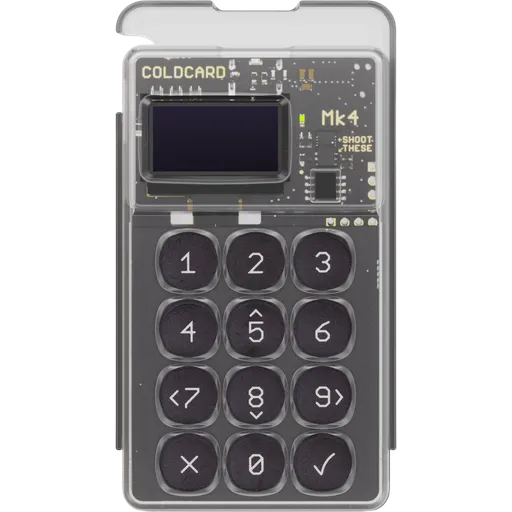
Coinkite Coldcard Q
Coinkite
$259.99
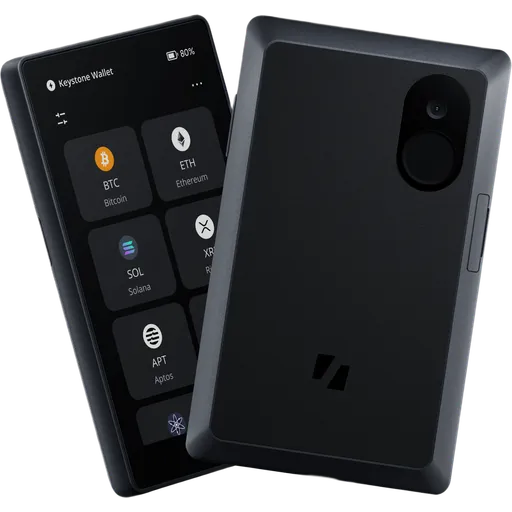
Keystone Pro 3
Keystone
$149
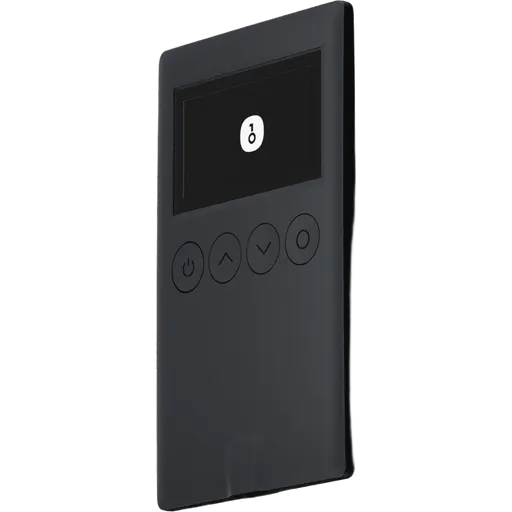
OneKey Classic 1S
Best value
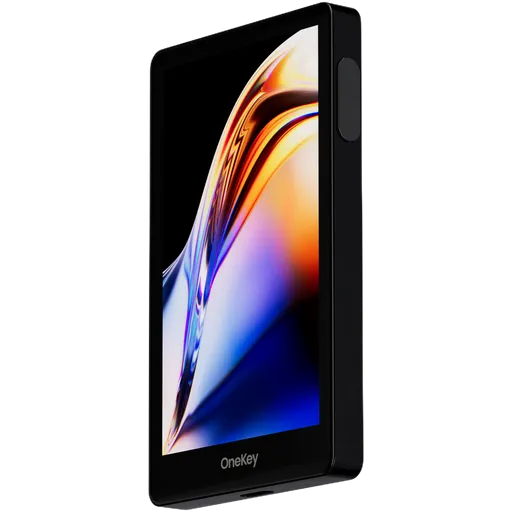
OneKey Pro
Best overall
$278
Key Takeaways
- OneKey Pro wins in security (100/100)
- OneKey Pro wins in ease of use (79/100)
- OneKey Classic 1S is more affordable ($99)
- Best for beginners: OneKey Pro (easier setup)
Coinkite Coldcard Q vs Keystone Pro 3 vs OneKey Classic 1S vs OneKey Pro: Key Differences
Picking between 4 hardware wallets (Coinkite Coldcard Q vs Keystone Pro 3 vs OneKey Classic 1S vs OneKey Pro) usually comes down to a handful of trade-offs, not a single winner. Prices run from $99 to $278; overall scores from 70 to 91/100 — and the spread tells a story. Here's where each one earns its keep, and where it falls short.
Winner by Category
Which wallet leads in each area
Security
TieCoinkite Coldcard Q94/100
Keystone Pro 3100/100
OneKey Classic 1S98/100
OneKey Pro100/100
Ease of Use
Coinkite Coldcard Q56/100
Keystone Pro 367/100
OneKey Classic 1S53/100
OneKey ProWinner79/100
Price
Coinkite Coldcard Q$259.99
Keystone Pro 3$149
OneKey Classic 1SWinner$99
OneKey Pro$278
Coin Support
TieCoinkite Coldcard Q1+
Keystone Pro 341+
OneKey Classic 1S30+
OneKey Pro40+
Privacy
Coinkite Coldcard Q75/100
Keystone Pro 379/100
OneKey Classic 1S44/100
OneKey ProWinner100/100
Beginner Friendly
Coinkite Coldcard Q56/100
Keystone Pro 367/100
OneKey Classic 1S53/100
OneKey ProWinner79/100
Comparing:
Coinkite Coldcard Q
Keystone Pro 3
OneKey Classic 1S
OneKey Pro
Comparison Table
Key specifications for your decision
| Criteria | Coinkite Coldcard Q Coinkite $259.99 | Keystone Pro 3 Keystone $149 | OneKey Classic 1S OneKey $99 | OneKey Pro OneKey $278 |
|---|---|---|---|---|
Overall Rating | 70 | 81 | 71 | 91 |
Security | 94 | 100 | 98 | 100 |
Usability | 56 | 67 | 53 | 79 |
Price | $259.99 | $149 | $99 | $278 |
EAL Certification (Evaluation Assurance Level) from Common Criteria rates the security of hardware components, like secure chips in crypto hardware wallets. Higher levels, such as EAL5+ or EAL6+, indicate stronger resistance to attacks. Learn more | Yes | Yes | Yes | Yes |
Open Source Firmware refers to firmware in hardware devices, like wallets, where the source code is publicly available, allowing transparency, auditability, and customization. Learn more | Yes | Yes | Yes | Yes |
Bluetooth Connectivity enables wireless communication between devices, like hardware wallets and smartphones, using Bluetooth or Bluetooth Low Energy (BLE) for secure data transfer. Learn more | No | No | Yes | No |
USB | Yes | Yes | Yes | Yes |
Networks | 1+ | 41+ | 30+ | 40+ |
A passphrase is an additional security layer for cryptocurrency wallets, acting as a 25th word in the BIP39 seed phrase, protecting access to hidden wallets. Learn more | Yes | Yes | Yes | Yes |
A touchscreen display is a screen that allows users to interact with a device by touching the surface, commonly used in hardware wallets for easy navigation and transaction confirmation. Learn more | LCD | LCD Color Touchscreen | OLED | Color IPS Touchscreen |
Recovery is the process of restoring access to a cryptocurrency wallet using its seed phrase or mnemonic backup if the original wallet is lost or inaccessible. Learn more | Multi-card | Multi-card | 24-word seed | 24-word + Shamir |
Setup Time | ~15 min | ~15 min | ~10 min | ~7 min |
IP Rating refers to the level of protection a device has against dust and water, often used for hardware wallets to indicate their durability in various environments. Learn more | None | None | None | None |
Our Verdict: Coinkite Coldcard Q vs Keystone Pro 3 vs OneKey Classic 1S vs OneKey Pro
Choose Coinkite Coldcard Q if...
- You are comfortable managing a seed phrase
- You want wireless NFC connectivity — no cables needed
Skip Coinkite Coldcard Q if...
- ×Budget is tight — you'd be better served by a cheaper option in this comparison
- ×You want Shamir Secret Sharing for split, geographically distributed backups
- ×You actively use DeFi and need WalletConnect / dApp support
Choose Keystone Pro 3 if...
- You are comfortable managing a seed phrase
- You prefer USB-only connection for maximum security
Skip Keystone Pro 3 if...
- ×Budget is tight — you'd be better served by a cheaper option in this comparison
- ×You want wireless NFC connection — no cables
Choose OneKey Classic 1S if...
- You are comfortable managing a seed phrase
- You want to save $50 without sacrificing core security
Skip OneKey Classic 1S if...
- ×You want wireless NFC connection — no cables
- ×You want Shamir Secret Sharing for split, geographically distributed backups
- ×You want a seedless backup design instead of a 12/24-word phrase
Choose OneKey Pro if...
- You use Bitcoin and care about privacy (CoinJoin, coin control)
- You are comfortable managing a seed phrase
- You prefer USB-only connection for maximum security
Skip OneKey Pro if...
- ×Budget is tight — you'd be better served by a cheaper option in this comparison
- ×You want wireless NFC connection — no cables
- ×You want a seedless backup design instead of a 12/24-word phrase
Our pick for most users
Based on the overall rating, OneKey Pro scores 91/100 and offers the best balance of security, usability, and value in this comparison.
Bottom line: OneKey Pro is our pick — it leads on both security and ease of use, and the overall score reflects that. If budget is real, OneKey Classic 1S comes in $179 cheaper without giving up the basics.
Price: Coinkite Coldcard Q vs Keystone Pro 3 vs OneKey Classic 1S vs OneKey Pro
Prices range from $99 (OneKey Classic 1S) to $278 (OneKey Pro). The extra cost of OneKey Pro gets you a 20-point higher overall rating. For budget buyers, OneKey Classic 1S offers solid security at a lower price point.
Who Should Pick Which Wallet
Recommendations based on real-world use cases
Coinkite Coldcard Q
$259.99Built-in batteryCoin controlFull node supportAndroid support
Pros
- +Dual secure elements: ATECC608 <em>and</em> DS28C36B provide redundant hardware security
- +Large 3.2-inch LCD screen enables full transaction verification before signing
- +QR code air-gap signing eliminates USB attack surface entirely during operation
- +NFC tap-to-sign support for contactless transaction broadcasting without cables
Cons
- −
- −At $259.99, priced significantly above most competing multi-asset hardware wallets
- −Firmware is not fully open source, limiting complete end-to-end code auditability
- −No Bluetooth connectivity, restricting wireless pairing options compared to competitors
Keystone Pro 3
$149Built-in batteryCoin controlFull node supportWalletConnect support
Pros
- +EAL5+ secure element with open, reproducible firmware builds
- +Air-gapped QR-only signing eliminates all USB attack surfaces
- +4-inch color touchscreen — largest display in its class
- +SLIP39 Shamir Secret Sharing splits seed across multiple shares
Cons
- −No Bluetooth or NFC — mobile use requires QR scanning only
- −Secure element chip manufacturer is undisclosed, limiting full auditability
- −Polycarbonate/ABS body lacks the metal construction of competitors like Coldcard
- −
OneKey Classic 1S
$99Lower priceGreat priceBuilt-in batteryCoin control
Pros
- +EAL6+ certified secure element, highest grade among most rivals
- +Fully open-source firmware with reproducible builds for independent auditing
- +Triple connectivity: USB, Bluetooth, and QR code air-gapped signing
- +Supports 5,000+ tokens across multiple chains out of the box
Cons
- −No Shamir Secret Sharing; recovery limited to single 24-word BIP39 seed
- −Plastic casing offers less physical durability than metal-bodied competitors
- −No NFC support, limiting tap-to-sign workflows on compatible mobile devices
- −Multisig implementation is basic, lacking advanced coordinator integrations
OneKey Pro
$278Built-in batteryBetter privacy featuresCoin controlCoinJoin support
Pros
- +CC EAL6+ secure element (ATECC608B) — highest certified SE tier available
- +4-inch color IPS touchscreen dwarfs most competitors' small displays
- +Fully open-source firmware with reproducible builds for independent auditing
- +Shamir Secret Sharing splits seed across multiple recovery shares
Cons
- −At $278, it is among the most expensive consumer hardware wallets available
- −No Bluetooth or NFC limits wireless connectivity options vs. competitors
- −No water resistance rating despite aluminum alloy construction
- −Battery dependency means device is inoperable when discharged
Best for These Profiles
Pre-Purchase Checklist
Important points to verify regardless of your choice
All wallets ship from official manufacturer stores with full warranty.
Coinkite Coldcard Q vs Keystone Pro 3 vs OneKey Classic 1S vs OneKey Pro: Frequently Asked Questions
Answers about Coinkite Coldcard Q vs Keystone Pro 3 vs OneKey Classic 1S vs OneKey Pro
Is Coinkite Coldcard Q better than Keystone Pro 3?
On the numbers, Keystone Pro 3 comes out ahead — 81/100 vs 70/100 — but 'better' isn't quite the right frame. Coinkite Coldcard Q has fully open-source firmware, which matters more for some buyers than overall score does. If overall rating is what you actually weigh first, take Keystone Pro 3. If transparency is the constraint that shapes your decision, Coinkite Coldcard Q is the smarter buy. Either way, both are real hardware wallets — neither is a mistake.
How much do Coinkite Coldcard Q and Keystone Pro 3 and OneKey Classic 1S and OneKey Pro cost?
Coinkite Coldcard Q costs $259.99, Keystone Pro 3 costs $149, OneKey Classic 1S costs $99, OneKey Pro costs $278. These are list prices for the standard edition from official manufacturer stores. A few things worth knowing: hardware wallet prices barely move during the year, so 'waiting for a sale' rarely pays off — Black Friday is the one exception, with 10–20% off being typical. Avoid third-party listings even if they're cheaper; the supply chain risk on a tampered device wipes out any savings the first time you load funds. And don't buy a 'used' hardware wallet, ever — even if it claims to be reset.
What happens if I lose all my Coinkite Coldcard Q cards?
Funds are unrecoverable. There's no seed phrase to fall back on, no recovery service, no manufacturer override — that's the explicit design trade-off. The mitigation is the multi-card set: every card you receive is a complete, independent backup of the same wallet. Realistic plan: keep one card on you, one at home in a safe, and one with a trusted person or in a bank deposit box. Lose any two and you're still fine. Lose all of them and the coins are gone forever.
Which wallet is better for DeFi and Web3: Coinkite Coldcard Q or Keystone Pro 3?
Keystone Pro 3 — and the gap is bigger than the spec sheets make it look. Keystone Pro 3 has WalletConnect built in, which means you sign DeFi transactions directly from a hardware wallet without exposing keys to a hot wallet. Coinkite Coldcard Q can technically work with DeFi via third-party software, but every extra step is one more place an attacker can intercept the transaction you're approving. If you're going to be clicking 'Sign' on smart contracts more than once a month, the difference compounds fast.
Coinkite Coldcard Q vs Keystone Pro 3: which has better backup options?
Coinkite Coldcard Q uses multiple linked NFC cards as encrypted backups (no seed phrase). Keystone Pro 3 uses multiple linked NFC cards as encrypted backups (no seed phrase). Both work — but they reflect different ideas about what 'backup' should be. The seed phrase approach (BIP-39) is the open industry standard: portable across most wallets, well-documented, and recoverable on any compatible device. The downside is well-known too — it's a piece of paper that's a single photograph or careless moment away from disaster. Card-based backups can't be photographed and don't write themselves down, but they're proprietary, which means you trust one manufacturer to stay in business and keep the format alive. Pick based on which failure mode worries you more.
Where to buy Coinkite Coldcard Q at the best price?
Always buy Coinkite Coldcard Q from the official Coinkite store — never from Amazon, eBay, or third-party marketplaces, even if the price looks better. Hardware wallets have been physically tampered with in the supply chain before (compromised devices shipped to unsuspecting buyers, then drained the moment funds were loaded). Buying direct from Coinkite gets you a sealed unit with full warranty, firmware integrity, and a clean chain of custody. Free shipping and occasional discounts at the source make the price difference negligible anyway.
Do Coinkite Coldcard Q and Keystone Pro 3 come with a warranty?
Yes — both ship with a manufacturer warranty (typically 1–2 years) when bought from the official store. That said, a hardware wallet warranty is mostly about hardware defects, not lost funds. If the device fails, the manufacturer will replace it — but your seed phrase or backup cards are what actually restore your crypto onto the new device. The warranty is real but secondary; what protects your funds is your backup discipline, not a piece of paper from {{wallet1}} or {{wallet2}}.
Which is the best wallet: Coinkite Coldcard Q, Keystone Pro 3, OneKey Classic 1S, OneKey Pro?
There isn't a single 'best' here — and that's not a hedge. OneKey Pro has the highest overall rating in this group, so if you want the safest default, that's it. OneKey Classic 1S is the most affordable, which matters if you're holding a smaller portfolio where a $100 wallet eating 5% of your stack is hard to justify. The honest path: figure out two things first — the operating systems you'll use to manage it (iPhone vs Android vs desktop), and whether you want a screen on the device or not. That cuts the decision in half before you ever look at price.
Made your decision?
Check out full reviews or find the best price from official vendors.
View best priceAffiliate link — we may earn a commission at no extra cost to you. Learn more
Not convinced? Consider these alternatives
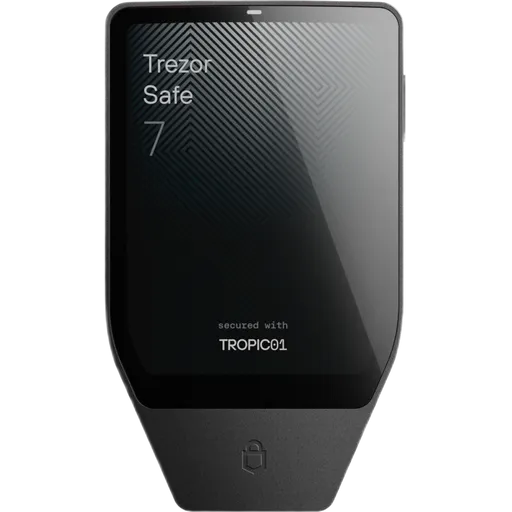
Secure ElementOpen SourceUSBBT50+ networks
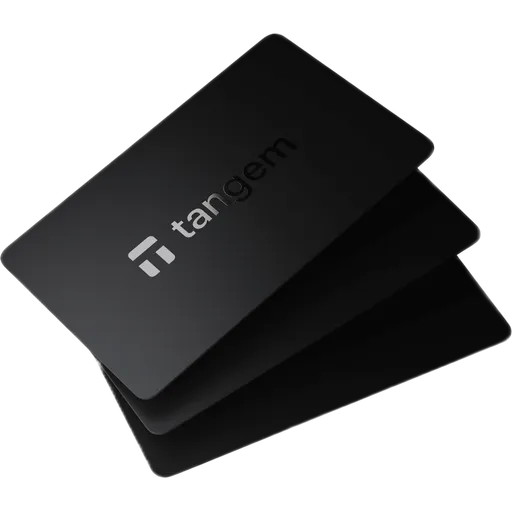
Secure ElementOpen SourceNFC85+ networks
More Comparisons
Compare Coinkite Coldcard Q with other wallets
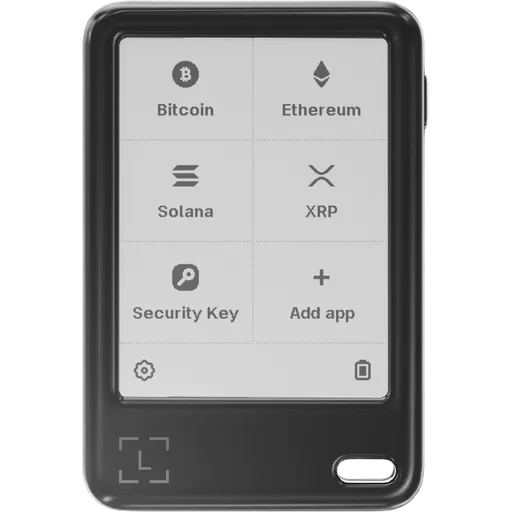
Official store
Coinkite Coldcard Q
Keystone Pro 3
OneKey Classic 1S
OneKey Pro
Affiliate link — we may earn a commission at no extra cost to you. Learn more