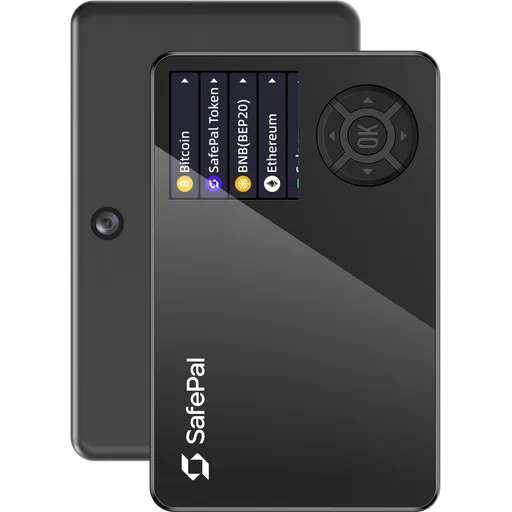
Secure ElementQR200+ networks
Ellipal Titan 2 vs Keystone Pro 3 vs Ledger Nano S Plus
Comparing 3 wallets: Ellipal Titan 2 (68/100, $169), Keystone Pro 3 (81/100, $149), and Ledger Nano S Plus (76/100, $69). Prices range from $69 to $169.
3 wallets
Open-source vs Closed
$100 price gap
iOS support differs
Quick VerdictUpdated 2026
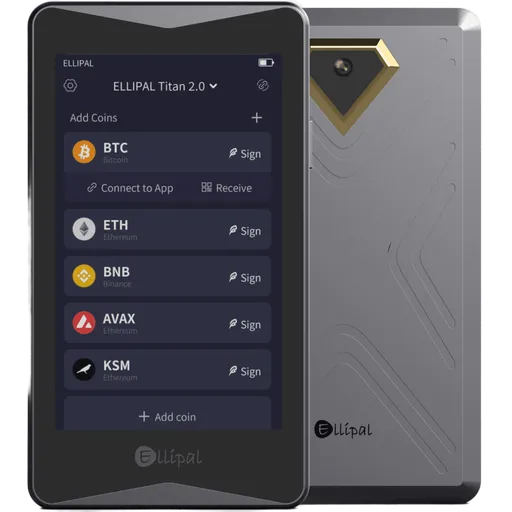
Ellipal Titan 2
Ellipal
$169
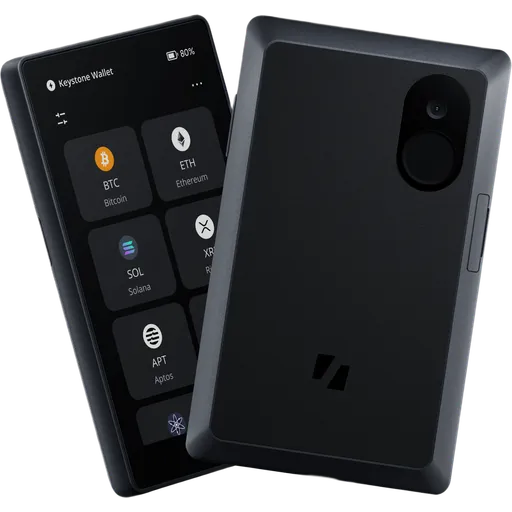
Keystone Pro 3
Best overall
$149
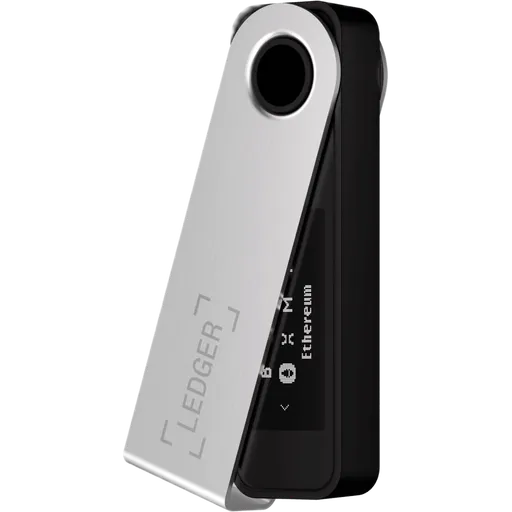
Ledger Nano S Plus
Best value
Key Takeaways
- Keystone Pro 3 wins in security (100/100)
- Ellipal Titan 2 wins in ease of use (74/100)
- Ledger Nano S Plus is more affordable ($69)
- Both support 41+ cryptocurrencies
- Best for beginners: Ellipal Titan 2 (easier setup)
Ellipal Titan 2 vs Keystone Pro 3 vs Ledger Nano S Plus: Key Differences
Picking between 3 hardware wallets (Ellipal Titan 2 vs Keystone Pro 3 vs Ledger Nano S Plus) usually comes down to a handful of trade-offs, not a single winner. Prices run from $69 to $169; overall scores from 68 to 81/100 — and the spread tells a story. Here's where each one earns its keep, and where it falls short.
Winner by Category
Which wallet leads in each area
Security
TieEllipal Titan 270/100
Keystone Pro 3100/100
Ledger Nano S Plus97/100
Ease of Use
Ellipal Titan 2Winner74/100
Keystone Pro 367/100
Ledger Nano S Plus67/100
Price
Ellipal Titan 2$169
Keystone Pro 3$149
Ledger Nano S PlusWinner$69
Coin Support
Ellipal Titan 2Winner85+
Keystone Pro 341+
Ledger Nano S Plus70+
Privacy
Ellipal Titan 257/100
Keystone Pro 3Winner79/100
Ledger Nano S Plus50/100
Beginner Friendly
Ellipal Titan 2Winner74/100
Keystone Pro 367/100
Ledger Nano S Plus67/100
Comparing:
Ellipal Titan 2
Keystone Pro 3
Ledger Nano S Plus
Comparison Table
Key specifications for your decision
| Criteria | Ellipal Titan 2 Ellipal $169 | Keystone Pro 3 Keystone $149 | Ledger Nano S Plus Ledger $69 |
|---|---|---|---|
Overall Rating | 68 | 81 | 76 |
Security | 70 | 100 | 97 |
Usability | 74 | 67 | 67 |
Price | $169 | $149 | $69 |
EAL Certification (Evaluation Assurance Level) from Common Criteria rates the security of hardware components, like secure chips in crypto hardware wallets. Higher levels, such as EAL5+ or EAL6+, indicate stronger resistance to attacks. Learn more | Yes | Yes | Yes |
Open Source Firmware refers to firmware in hardware devices, like wallets, where the source code is publicly available, allowing transparency, auditability, and customization. Learn more | No | Yes | No |
Bluetooth Connectivity enables wireless communication between devices, like hardware wallets and smartphones, using Bluetooth or Bluetooth Low Energy (BLE) for secure data transfer. Learn more | No | No | No |
USB | No | Yes | Yes |
Networks | 85+ | 41+ | 70+ |
A passphrase is an additional security layer for cryptocurrency wallets, acting as a 25th word in the BIP39 seed phrase, protecting access to hidden wallets. Learn more | Yes | Yes | Yes |
A touchscreen display is a screen that allows users to interact with a device by touching the surface, commonly used in hardware wallets for easy navigation and transaction confirmation. Learn more | IPS Touchscreen | LCD Color Touchscreen | Monochrome OLED |
Recovery is the process of restoring access to a cryptocurrency wallet using its seed phrase or mnemonic backup if the original wallet is lost or inaccessible. Learn more | 24-word seed | Multi-card | 24-word seed |
Setup Time | ~5 min | ~15 min | ~10 min |
IP Rating refers to the level of protection a device has against dust and water, often used for hardware wallets to indicate their durability in various environments. Learn more | None | None | None |
Our Verdict: Ellipal Titan 2 vs Keystone Pro 3 vs Ledger Nano S Plus
Choose Ellipal Titan 2 if...
- You are comfortable managing a seed phrase
Skip Ellipal Titan 2 if...
- ×You manage crypto from a desktop (no Windows, macOS, or Linux app)
- ×Open-source firmware is non-negotiable for you
- ×Budget is tight — you'd be better served by a cheaper option in this comparison
Choose Keystone Pro 3 if...
- You want verifiable, open-source firmware and software
- You want advanced backup with Shamir Secret Sharing
- You prefer seedless backup via multiple linked cards
- You run your own Bitcoin full node
Skip Keystone Pro 3 if...
- ×Budget is tight — you'd be better served by a cheaper option in this comparison
Choose Ledger Nano S Plus if...
- You trust third-party audits (Ledger internal + third-party (ANSSI CSPN, EAL evaluation)) over open-source review
- You are comfortable managing a seed phrase
- You want to save $80 without sacrificing core security
Skip Ledger Nano S Plus if...
- ×You manage crypto from an iPhone (no iOS app here)
- ×Open-source firmware is non-negotiable for you
- ×You want Shamir Secret Sharing for split, geographically distributed backups
Our pick for most users
Based on the overall rating, Keystone Pro 3 scores 81/100 and offers the best balance of security, usability, and value in this comparison.
Bottom line: Keystone Pro 3 is the safer bet on security; day to day, Ellipal Titan 2 is the easier driver. If budget is real, Ledger Nano S Plus comes in $100 cheaper without giving up the basics.
Price: Ellipal Titan 2 vs Keystone Pro 3 vs Ledger Nano S Plus
Prices range from $69 (Ledger Nano S Plus) to $169 (Ellipal Titan 2). The extra cost of Ellipal Titan 2 gets you a -8-point higher overall rating. For budget buyers, Ledger Nano S Plus offers solid security at a lower price point.
Who Should Pick Which Wallet
Recommendations based on real-world use cases
Ellipal Titan 2
$169Built-in batteryWalletConnect supportAndroid supportiOS support
Pros
- +Air-gapped QR-only connectivity eliminates all USB/Bluetooth attack vectors
- +EAL5+ certified secure element exceeds most competitors' EAL5 rating
- +Aluminum alloy build at 140g provides premium physical tamper resistance
- +4-inch IPS touchscreen is among the largest displays in hardware wallets
Cons
- −Closed-source firmware prevents independent security audits by the community
- −No Shamir Secret Sharing; single mnemonic phrase is the only backup method
- −No water resistance rating despite aluminum build and $169 price point
- −Zero desktop support — Linux, Windows, and macOS users are fully excluded
Keystone Pro 3
$149Built-in batteryCoin controlFull node supportWalletConnect support
Pros
- +EAL5+ secure element with open, reproducible firmware builds
- +Air-gapped QR-only signing eliminates all USB attack surfaces
- +4-inch color touchscreen — largest display in its class
- +SLIP39 Shamir Secret Sharing splits seed across multiple shares
Cons
- −No Bluetooth or NFC — mobile use requires QR scanning only
- −Secure element chip manufacturer is undisclosed, limiting full auditability
- −Polycarbonate/ABS body lacks the metal construction of competitors like Coldcard
- −
Ledger Nano S Plus
$69AffordableGreat priceCoin controlWalletConnect support
Pros
- +CC EAL6+ certified ST33K1M5 secure element — highest rating among sub-$100 wallets
- +Supports 5,500+ tokens across 50+ networks without third-party apps
- +24-word BIP39 seed with optional passphrase adds hidden wallet layer
- +Coin control feature enables manual UTXO selection for privacy-conscious users
Cons
- −Closed-source firmware — independent security audits are not publicly possible
- −No Bluetooth or NFC; USB-only connectivity excludes iOS devices entirely
- −No Shamir Secret Sharing — single seed backup point remains a loss risk
- −0.9-inch monochrome OLED makes verifying long contract data tedious
Best for These Profiles
Pre-Purchase Checklist
Important points to verify regardless of your choice
All wallets ship from official manufacturer stores with full warranty.
Ellipal Titan 2 vs Keystone Pro 3 vs Ledger Nano S Plus: Frequently Asked Questions
Answers about Ellipal Titan 2 vs Keystone Pro 3 vs Ledger Nano S Plus
Is Ellipal Titan 2 better than Keystone Pro 3?
On the numbers, Keystone Pro 3 comes out ahead — 81/100 vs 68/100 — but 'better' isn't quite the right frame. Ellipal Titan 2 is easier to use (74/100 usability), which matters more for some buyers than overall score does. If overall rating is what you actually weigh first, take Keystone Pro 3. If ease of use is the constraint that shapes your decision, Ellipal Titan 2 is the smarter buy. Either way, both are real hardware wallets — neither is a mistake.
How much do Ellipal Titan 2 and Keystone Pro 3 and Ledger Nano S Plus cost?
Ellipal Titan 2 costs $169, Keystone Pro 3 costs $149, Ledger Nano S Plus costs $69. These are list prices for the standard edition from official manufacturer stores. A few things worth knowing: hardware wallet prices barely move during the year, so 'waiting for a sale' rarely pays off — Black Friday is the one exception, with 10–20% off being typical. Avoid third-party listings even if they're cheaper; the supply chain risk on a tampered device wipes out any savings the first time you load funds. And don't buy a 'used' hardware wallet, ever — even if it claims to be reset.
Can Ledger Nano S Plus be used on iPhone (iOS)?
No — Ledger Nano S Plus has no iOS app today, and there's no public roadmap for one. It works fine with Android, Windows, macOS, and Linux, but iPhone users are out of luck. If your primary device is an iPhone and you don't want a separate computer just to manage crypto, Ellipal Titan 2 is the practical pick: it has a native iOS app and the full feature set works over Lightning or Bluetooth.
What happens if I lose all my Keystone Pro 3 cards?
Funds are unrecoverable. There's no seed phrase to fall back on, no recovery service, no manufacturer override — that's the explicit design trade-off. The mitigation is the multi-card set: every card you receive is a complete, independent backup of the same wallet. Realistic plan: keep one card on you, one at home in a safe, and one with a trusted person or in a bank deposit box. Lose any two and you're still fine. Lose all of them and the coins are gone forever.
Which wallet is better for DeFi and Web3: Ellipal Titan 2 or Keystone Pro 3?
Ellipal Titan 2 — and the gap is bigger than the spec sheets make it look. Ellipal Titan 2 has WalletConnect built in, which means you sign DeFi transactions directly from a hardware wallet without exposing keys to a hot wallet. Keystone Pro 3 can technically work with DeFi via third-party software, but every extra step is one more place an attacker can intercept the transaction you're approving. If you're going to be clicking 'Sign' on smart contracts more than once a month, the difference compounds fast.
Ellipal Titan 2 vs Keystone Pro 3: which has better backup options?
Ellipal Titan 2 uses a standard 24-word seed phrase. Keystone Pro 3 uses multiple linked NFC cards as encrypted backups (no seed phrase). Both work — but they reflect different ideas about what 'backup' should be. The seed phrase approach (BIP-39) is the open industry standard: portable across most wallets, well-documented, and recoverable on any compatible device. The downside is well-known too — it's a piece of paper that's a single photograph or careless moment away from disaster. Card-based backups can't be photographed and don't write themselves down, but they're proprietary, which means you trust one manufacturer to stay in business and keep the format alive. Pick based on which failure mode worries you more.
Is Keystone Pro 3 more secure than Ellipal Titan 2 because it's open-source?
Not automatically — and this is a more nuanced question than the marketing suggests. Open-source (Keystone Pro 3) lets anyone (researchers, hobbyists, paranoid users) read the firmware and verify there are no backdoors. That's the strongest possible trust signal. Ellipal Titan 2 keeps source code private but compensates with paid third-party audits from and certifications like CC EAL5+/EAL6+ on the secure element. Open-source is the more transparent posture; audited closed-source can still be cryptographically airtight. Our honest take: if open-source is the deciding factor for you philosophically, pick Keystone Pro 3 — but don't dismiss Ellipal Titan 2 as 'less secure' purely on that basis.
Can Ellipal Titan 2 be used with a desktop computer?
No — Ellipal Titan 2 is mobile-only with no Windows, macOS, or Linux app available. If you do most of your crypto work on a laptop or desktop (DeFi power users, traders, anyone running a full node), this is a real limitation, not a minor inconvenience. Keystone Pro 3 supports all three desktop operating systems with a polished companion app, and that's the practical pick if desktop is your main interface.
Made your decision?
Check out full reviews or find the best price from official vendors.
View best priceAffiliate link — we may earn a commission at no extra cost to you. Learn more
Not convinced? Consider these alternatives
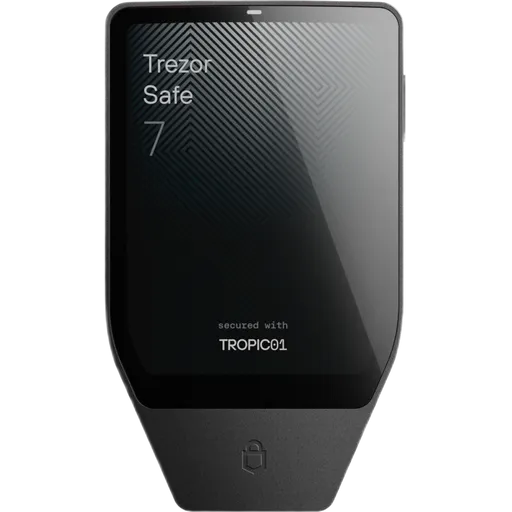
Secure ElementOpen SourceUSBBT50+ networks
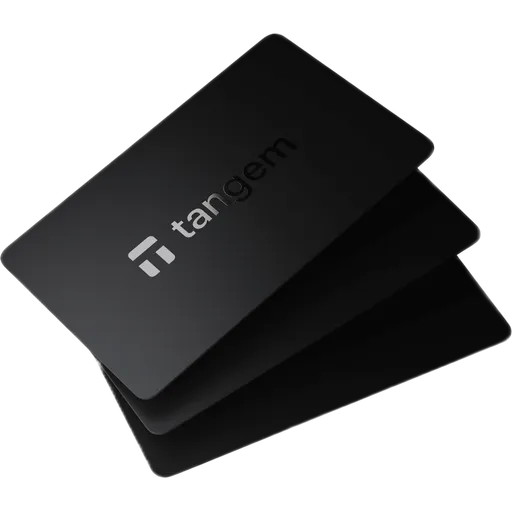
Secure ElementOpen SourceNFC85+ networks
More Comparisons
Compare Ellipal Titan 2 with other wallets
Official store
Ellipal Titan 2$169 · 68/100
Keystone Pro 3$149 · 81/100
Ledger Nano S Plus$69 · 76/100
Affiliate link — we may earn a commission at no extra cost to you. Learn more