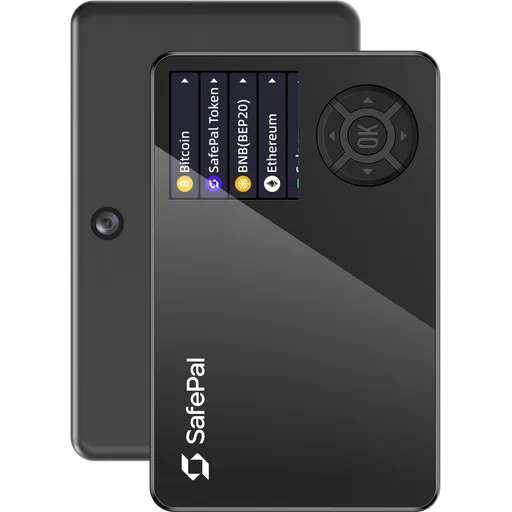
Secure ElementQR200+ networks
OneKey Classic 1S vs OneKey Pro vs Trezor Safe 7
Comparing 3 wallets: OneKey Classic 1S (71/100, $99), OneKey Pro (91/100, $278), and Trezor Safe 7 (90/100, $249). Prices range from $99 to $278.
3 wallets
No IP rating vs IP67
$179 price gap
Quick VerdictUpdated 2026
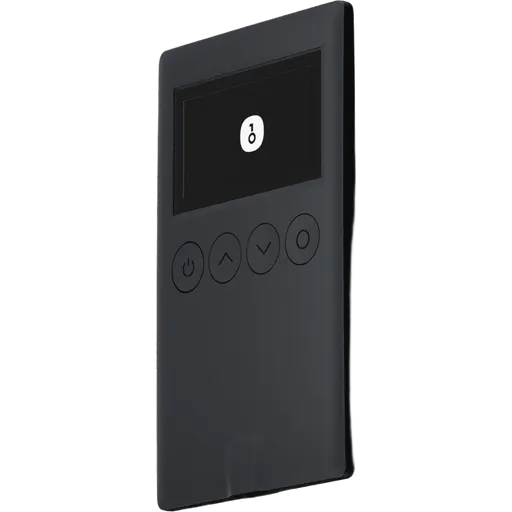
OneKey Classic 1S
Best value
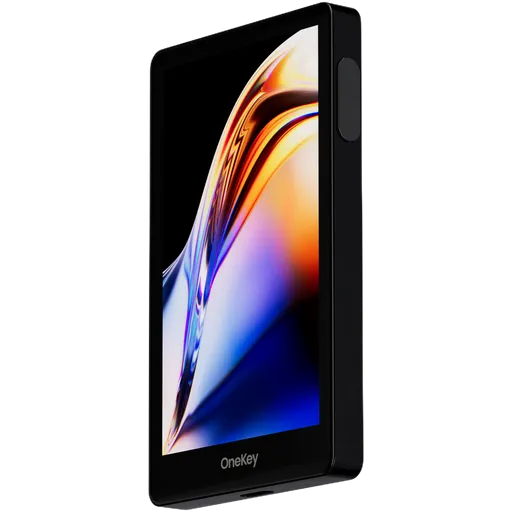
OneKey Pro
Best overall
$278
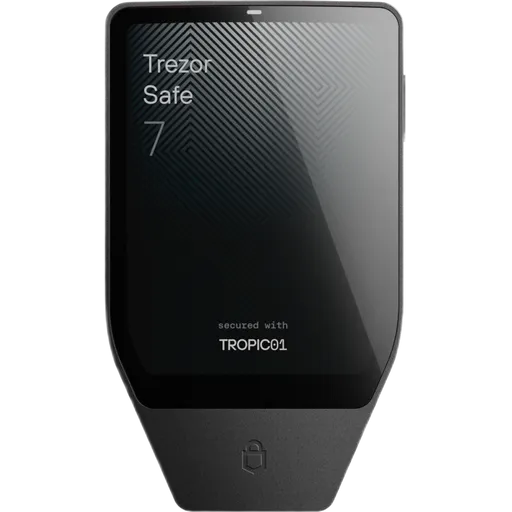
Trezor Safe 7
Highest security
$249
Key Takeaways
- Security scores are close (within 2 points)
- Trezor Safe 7 wins in ease of use (79/100)
- OneKey Classic 1S is more affordable ($99)
- Both support 30+ cryptocurrencies
- Best for beginners: Trezor Safe 7 (easier setup)
OneKey Classic 1S vs OneKey Pro vs Trezor Safe 7: Key Differences
Picking between 3 hardware wallets (OneKey Classic 1S vs OneKey Pro vs Trezor Safe 7) usually comes down to a handful of trade-offs, not a single winner. Prices run from $99 to $278; overall scores from 71 to 91/100 — and the spread tells a story. Here's where each one earns its keep, and where it falls short.
Detailed Pair Comparisons:
Winner by Category
Which wallet leads in each area
Security
TieOneKey Classic 1S98/100
OneKey Pro100/100
Trezor Safe 7100/100
Ease of Use
TieOneKey Classic 1S53/100
OneKey Pro79/100
Trezor Safe 779/100
Price
OneKey Classic 1SWinner$99
OneKey Pro$278
Trezor Safe 7$249
Coin Support
OneKey Classic 1S30+
OneKey Pro40+
Trezor Safe 7Winner50+
Privacy
OneKey Classic 1S44/100
OneKey ProWinner100/100
Trezor Safe 793/100
Beginner Friendly
TieOneKey Classic 1S53/100
OneKey Pro79/100
Trezor Safe 779/100
Comparing:
OneKey Classic 1S
OneKey Pro
Trezor Safe 7
Comparison Table
Key specifications for your decision
| Criteria | OneKey Classic 1S OneKey $99 | OneKey Pro OneKey $278 | Trezor Safe 7 Trezor $249 |
|---|---|---|---|
Overall Rating | 71 | 91 | 90 |
Security | 98 | 100 | 100 |
Usability | 53 | 79 | 79 |
Price | $99 | $278 | $249 |
EAL Certification (Evaluation Assurance Level) from Common Criteria rates the security of hardware components, like secure chips in crypto hardware wallets. Higher levels, such as EAL5+ or EAL6+, indicate stronger resistance to attacks. Learn more | Yes | Yes | Yes |
Open Source Firmware refers to firmware in hardware devices, like wallets, where the source code is publicly available, allowing transparency, auditability, and customization. Learn more | Yes | Yes | Yes |
Bluetooth Connectivity enables wireless communication between devices, like hardware wallets and smartphones, using Bluetooth or Bluetooth Low Energy (BLE) for secure data transfer. Learn more | Yes | No | Yes |
USB | Yes | Yes | Yes |
Networks | 30+ | 40+ | 50+ |
A passphrase is an additional security layer for cryptocurrency wallets, acting as a 25th word in the BIP39 seed phrase, protecting access to hidden wallets. Learn more | Yes | Yes | Yes |
A touchscreen display is a screen that allows users to interact with a device by touching the surface, commonly used in hardware wallets for easy navigation and transaction confirmation. Learn more | OLED | Color IPS Touchscreen | Color Touchscreen |
Recovery is the process of restoring access to a cryptocurrency wallet using its seed phrase or mnemonic backup if the original wallet is lost or inaccessible. Learn more | 24-word seed | 24-word + Shamir | Multi-card |
Setup Time | ~10 min | ~7 min | ~5 min |
IP Rating refers to the level of protection a device has against dust and water, often used for hardware wallets to indicate their durability in various environments. Learn more | None | None | IP67 |
Our Verdict: OneKey Classic 1S vs OneKey Pro vs Trezor Safe 7
Choose OneKey Classic 1S if...
- You are comfortable managing a seed phrase
- You want to save $150 without sacrificing core security
Skip OneKey Classic 1S if...
- ×You want Shamir Secret Sharing for split, geographically distributed backups
- ×You want a seedless backup design instead of a 12/24-word phrase
- ×You need a device with an official IP rating against water and dust
Choose OneKey Pro if...
- You are comfortable managing a seed phrase
- You prefer USB-only connection for maximum security
Skip OneKey Pro if...
- ×Budget is tight — you'd be better served by a cheaper option in this comparison
- ×You want a seedless backup design instead of a 12/24-word phrase
- ×You need a device with an official IP rating against water and dust
Choose Trezor Safe 7 if...
- You prefer seedless backup via multiple linked cards
- You need a durable, IP67-rated waterproof device
Skip Trezor Safe 7 if...
- ×Budget is tight — you'd be better served by a cheaper option in this comparison
Our pick for most users
Both wallets score similarly (71 vs 91/100) — your choice depends on which features matter most to you.
Bottom line: Security scores are essentially tied here, so this isn't where the choice lives. Day to day, Trezor Safe 7 is the easier one to live with. If budget is real, OneKey Classic 1S comes in $179 cheaper without giving up the basics.
Price: OneKey Classic 1S vs OneKey Pro vs Trezor Safe 7
Prices range from $99 (OneKey Classic 1S) to $278 (OneKey Pro). The extra cost of OneKey Pro gets you a 20-point higher overall rating. For budget buyers, OneKey Classic 1S offers solid security at a lower price point.
Who Should Pick Which Wallet
Recommendations based on real-world use cases
OneKey Classic 1S
$99Lower priceGreat priceBuilt-in batteryCoin control
Pros
- +EAL6+ certified secure element, highest grade among most rivals
- +Fully open-source firmware with reproducible builds for independent auditing
- +Triple connectivity: USB, Bluetooth, and QR code air-gapped signing
- +Supports 5,000+ tokens across multiple chains out of the box
Cons
- −No Shamir Secret Sharing; recovery limited to single 24-word BIP39 seed
- −Plastic casing offers less physical durability than metal-bodied competitors
- −No NFC support, limiting tap-to-sign workflows on compatible mobile devices
- −Multisig implementation is basic, lacking advanced coordinator integrations
OneKey Pro
$278Built-in batteryBetter privacy featuresCoin controlCoinJoin support
Pros
- +CC EAL6+ secure element (ATECC608B) — highest certified SE tier available
- +4-inch color IPS touchscreen dwarfs most competitors' small displays
- +Fully open-source firmware with reproducible builds for independent auditing
- +Shamir Secret Sharing splits seed across multiple recovery shares
Cons
- −At $278, it is among the most expensive consumer hardware wallets available
- −No Bluetooth or NFC limits wireless connectivity options vs. competitors
- −No water resistance rating despite aluminum alloy construction
- −Battery dependency means device is inoperable when discharged
Trezor Safe 7
$249Water resistanceBuilt-in batteryBetter privacy featuresCoin control
Pros
- +TROPIC01 open secure element allows full auditability, unlike closed SE chips
- +EAL6+ certified secure element, highest certification tier among consumer wallets
- +SLIP-39 Shamir Secret Sharing splits seed across multiple shares by default
- +2.5-inch color touchscreen is the largest display in its hardware wallet class
Cons
- −At $249, it is the most expensive Trezor model, nearly 3x the Trezor Model One
- −No NFC support, limiting tap-to-sign workflows available on competing devices
- −Bluetooth attack surface introduces wireless threat vectors absent in USB-only wallets
- −Multisig support is basic only, lacking advanced coordinator tooling on-device
Best for These Profiles
Pre-Purchase Checklist
Important points to verify regardless of your choice
All wallets ship from official manufacturer stores with full warranty.
OneKey Classic 1S vs OneKey Pro vs Trezor Safe 7: Frequently Asked Questions
Answers about OneKey Classic 1S vs OneKey Pro vs Trezor Safe 7
Is OneKey Classic 1S better than OneKey Pro?
On the numbers, OneKey Pro comes out ahead — 91/100 vs 71/100 — but 'better' isn't quite the right frame. OneKey Classic 1S is more affordable at $99, which matters more for some buyers than overall score does. If overall rating is what you actually weigh first, take OneKey Pro. If budget is the constraint that shapes your decision, OneKey Classic 1S is the smarter buy. Either way, both are real hardware wallets — neither is a mistake.
How much do OneKey Classic 1S and OneKey Pro and Trezor Safe 7 cost?
OneKey Classic 1S costs $99, OneKey Pro costs $278, Trezor Safe 7 costs $249. These are list prices for the standard edition from official manufacturer stores. A few things worth knowing: hardware wallet prices barely move during the year, so 'waiting for a sale' rarely pays off — Black Friday is the one exception, with 10–20% off being typical. Avoid third-party listings even if they're cheaper; the supply chain risk on a tampered device wipes out any savings the first time you load funds. And don't buy a 'used' hardware wallet, ever — even if it claims to be reset.
What happens if I lose all my Trezor Safe 7 cards?
Funds are unrecoverable. There's no seed phrase to fall back on, no recovery service, no manufacturer override — that's the explicit design trade-off. The mitigation is the multi-card set: every card you receive is a complete, independent backup of the same wallet. Realistic plan: keep one card on you, one at home in a safe, and one with a trusted person or in a bank deposit box. Lose any two and you're still fine. Lose all of them and the coins are gone forever.
Is OneKey Classic 1S waterproof?
No — OneKey Classic 1S has no official water or dust resistance rating, so treat it like any other small electronic. A spilled drink or a rainstorm in your jacket pocket is enough to brick it. Trezor Safe 7, by contrast, carries an IP67 rating, which means it's tested against dust and pressurized water — that's the device you'd actually take camping or to a beach. For most people, water resistance isn't a deciding factor, but it matters if you travel light or carry your wallet daily.
Which wallet is better for DeFi and Web3: OneKey Classic 1S or OneKey Pro?
OneKey Classic 1S — and the gap is bigger than the spec sheets make it look. OneKey Classic 1S has WalletConnect built in, which means you sign DeFi transactions directly from a hardware wallet without exposing keys to a hot wallet. OneKey Pro can technically work with DeFi via third-party software, but every extra step is one more place an attacker can intercept the transaction you're approving. If you're going to be clicking 'Sign' on smart contracts more than once a month, the difference compounds fast.
OneKey Classic 1S vs OneKey Pro: which has better backup options?
OneKey Classic 1S uses a standard 24-word seed phrase. OneKey Pro uses a 24-word seed phrase with optional Shamir Secret Sharing for split backups. Both work — but they reflect different ideas about what 'backup' should be. The seed phrase approach (BIP-39) is the open industry standard: portable across most wallets, well-documented, and recoverable on any compatible device. The downside is well-known too — it's a piece of paper that's a single photograph or careless moment away from disaster. Card-based backups can't be photographed and don't write themselves down, but they're proprietary, which means you trust one manufacturer to stay in business and keep the format alive. Pick based on which failure mode worries you more.
Where to buy OneKey Classic 1S at the best price?
Always buy OneKey Classic 1S from the official OneKey store — never from Amazon, eBay, or third-party marketplaces, even if the price looks better. Hardware wallets have been physically tampered with in the supply chain before (compromised devices shipped to unsuspecting buyers, then drained the moment funds were loaded). Buying direct from OneKey gets you a sealed unit with full warranty, firmware integrity, and a clean chain of custody. Free shipping and occasional discounts at the source make the price difference negligible anyway.
Do OneKey Classic 1S and OneKey Pro come with a warranty?
Yes — both ship with a manufacturer warranty (typically 1–2 years) when bought from the official store. That said, a hardware wallet warranty is mostly about hardware defects, not lost funds. If the device fails, the manufacturer will replace it — but your seed phrase or backup cards are what actually restore your crypto onto the new device. The warranty is real but secondary; what protects your funds is your backup discipline, not a piece of paper from {{wallet1}} or {{wallet2}}.
Made your decision?
Check out full reviews or find the best price from official vendors.
View best priceAffiliate link — we may earn a commission at no extra cost to you. Learn more
Not convinced? Consider these alternatives
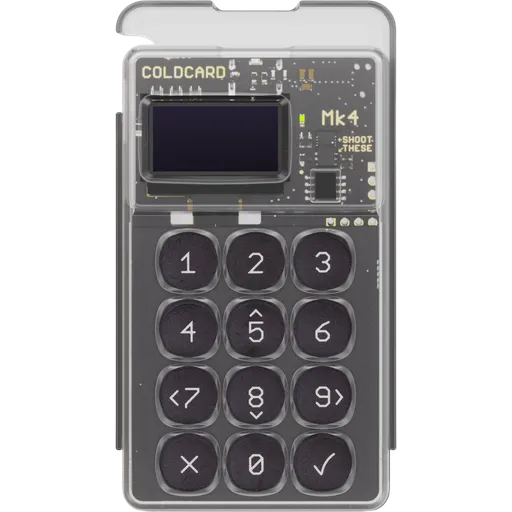
Secure ElementOpen SourceUSBNFC1+ networks
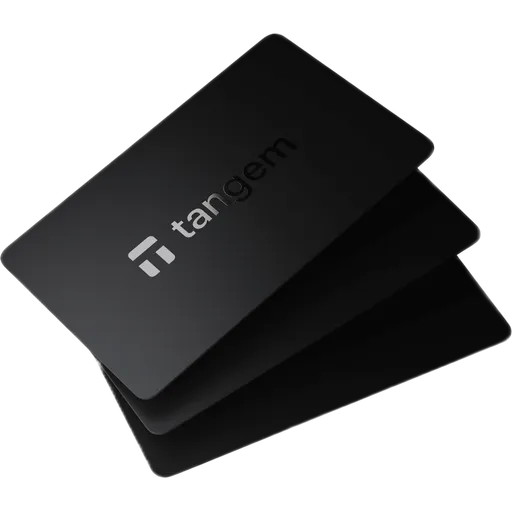
Secure ElementOpen SourceNFC85+ networks
More Comparisons
Compare OneKey Classic 1S with other wallets
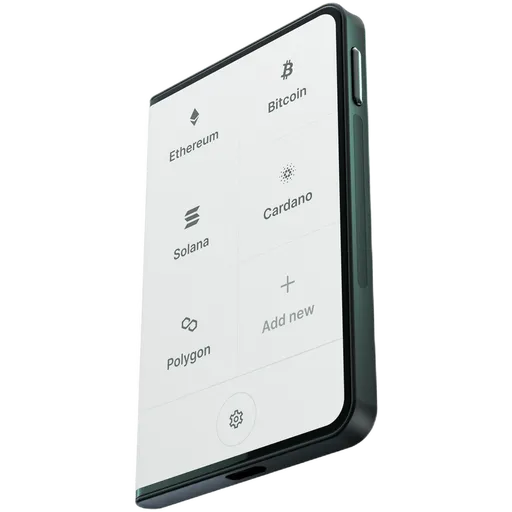
Official store
OneKey Classic 1S$99 · 71/100
OneKey Pro$278 · 91/100
Trezor Safe 7$249 · 90/100
Affiliate link — we may earn a commission at no extra cost to you. Learn more