
Secure ElementNFC13+ networks
Keycard Shell vs OneKey Pro
Keycard Shell offers open-source code, Shamir Backup. OneKey Pro features NFC connectivity, a 3.5" color touchscreen — and costs $149 less.
2 wallets
USB vs NFC
$149 price gap
Quick VerdictUpdated 2026

Keycard Shell
Best value
$129
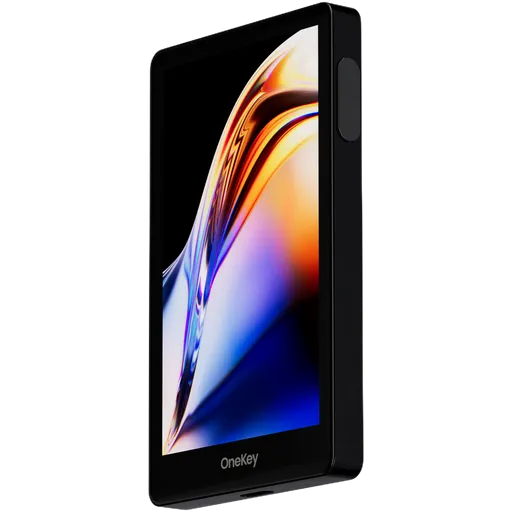
OneKey Pro
Best overall
$278
Security notice ·
October 2026: free replacement for OneKey devices bought from CryptoBilis
After Ledger found hardware implants in Ledger devices sold by the reseller CryptoBilis, OneKey ended CryptoBilis’s authorization, paused new resellers and began reviewing existing ones. OneKey says no OneKey user has reported losing funds and does not report finding a tampered OneKey device.
As a precaution, OneKey replaces for free any OneKey model bought from CryptoBilis between 1 March and 12 October 2026, activated or not, with proof of purchase. Apply through OneKey support by 31 December 2026; the old device does not need to be returned.
OneKey’s advice: do not activate an unused CryptoBilis unit. If a device from CryptoBilis already holds funds, move them now to a wallet with a newly generated recovery phrase rather than waiting for the replacement.
This concerns one reseller, not the device design, so it does not change our ratings.
Sources
Open-formula rating|40+ criteria analyzed|Last updated October 2026|No sponsored rankingsSee methodology
Key Takeaways
- Security scores are close (within 3 points)
- OneKey Pro wins in ease of use (82/100)
- Keycard Shell is more affordable ($129)
- Best for beginners: OneKey Pro (easier setup)
Keycard Shell vs OneKey Pro: Key Differences
Both Keycard Shell and OneKey Pro can keep your crypto safe — the real question is which one fits the way you actually use it. We've put both through our open-formula scoring on 40+ criteria: Keycard Shell (Keycard) lands at 66/100, OneKey Pro (OneKey) at 77/100. The $149 gap between $129 and $278 isn't arbitrary — these are two different bets on what matters in a hardware wallet, and the right pick depends on which bet you'd take.
Winner by Category
Which wallet leads in each area
Security
TieKeycard Shell87/100
OneKey Pro90/100
Ease of Use
Keycard Shell60/100
OneKey ProWinner82/100
Price
Keycard ShellWinner$129
OneKey Pro$278
Coin Support
Keycard Shell2+
OneKey ProWinner100+
Privacy
Keycard ShellWinner62/100
OneKey Pro31/100
Beginner Friendly
Keycard Shell60/100
OneKey ProWinner82/100
Comparing:
Keycard Shell
OneKey Pro
Comparison Table
Key specifications for your decision
| Criteria | Keycard Shell Keycard $129 | OneKey Pro OneKey $278 |
|---|---|---|
Overall Rating | 66 | 77 |
Security | 87 | 90 |
Usability | 60 | 82 |
Price | $129 | $278 |
EAL Certification (Evaluation Assurance Level) from Common Criteria rates the security of hardware components, like secure chips in crypto hardware wallets. Higher levels, such as EAL5+ or EAL6+, indicate stronger resistance to attacks. Learn more | Yes | Yes |
Open Source Firmware refers to firmware in hardware devices, like wallets, where the source code is publicly available, allowing transparency, auditability, and customization. Learn more | Firmware | Firmware, in part |
Bluetooth Connectivity enables wireless communication between devices, like hardware wallets and smartphones, using Bluetooth or Bluetooth Low Energy (BLE) for secure data transfer. Learn more | No | Yes |
USB | Yes | Yes |
Networks | 2+ | 100+ |
A passphrase is an additional security layer for cryptocurrency wallets, acting as a 25th word in the BIP39 seed phrase, protecting access to hidden wallets. Learn more | Yes | Yes |
A touchscreen display is a screen that allows users to interact with a device by touching the surface, commonly used in hardware wallets for easy navigation and transaction confirmation. Learn more | 2.0" TFT IPS Colour, 240x320, Adjustable Brightness | Color IPS Touchscreen (480×800) |
Recovery is the process of restoring access to a cryptocurrency wallet using its seed phrase or mnemonic backup if the original wallet is lost or inaccessible. Learn more | 24-word + Shamir | 24-word + Shamir |
Setup Time | ~15 min | ~7 min |
IP Rating refers to the level of protection a device has against dust and water, often used for hardware wallets to indicate their durability in various environments. Learn more | None | None |
Our Verdict: Keycard Shell or OneKey Pro?
Choose Keycard Shell if...
- You prefer USB-only connection for maximum security
- You want to save $149 without sacrificing core security
Skip Keycard Shell if...
- ×You want wireless NFC connection — no cables
Choose OneKey Pro if...
- You want wireless NFC connectivity — no cables needed
- You want a quick ~7-minute setup
- You actively use DeFi and WalletConnect dApps
- You want a modern touchscreen interface
Skip OneKey Pro if...
- ×Budget is tight — you'd be better served by a cheaper option in this comparison
Our pick for most users
Based on the overall rating, OneKey Pro scores 77/100 and offers the best balance of security, usability, and value in this comparison.
Bottom line: Security scores are essentially tied here, so this isn't where the choice lives. Day to day, OneKey Pro is the easier one to live with. If budget is real, Keycard Shell comes in $149 cheaper without giving up the basics.
Price: Keycard Shell vs OneKey Pro
Keycard Shell costs $129, while OneKey Pro is priced at $278 — a $149 difference. The extra cost of OneKey Pro gets you a 11-point higher overall rating. For budget buyers, Keycard Shell offers solid security at a lower price point.
Who Should Pick Which Wallet
Recommendations based on real-world use cases
Keycard Shell
$129Best for:
Built-in batteryFull node supportAndroid supportiOS support
Pros
- +Private keys stay on a removable Keycard with an NXP JCOP4 P71 secure element (CC EAL6+ chip certification)
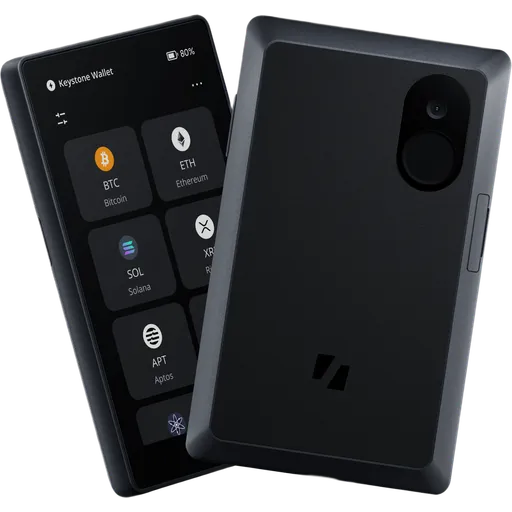
- +No Wi-Fi, Bluetooth, cellular or NFC on the Shell; signing runs over QR codes via a built-in camera
- +MIT-licensed firmware with reproducible builds; hardware design files published under CERN-OHL-S
- +Two Keycards in the box, so a second card holding the same seed can serve as a working backup
Cons
- −Bitcoin and EVM chains only; Solana and other non-secp256k1 networks are not supported
- −Taproot arrived only in firmware 1.4.0 for Keycard v4 cards; the product page still lists it as unsupported
- −Needs a third-party software wallet to build and broadcast every transaction
- −No published third-party security audit of the Shell firmware or the Keycard applet
OneKey Pro
$278Best for:
Built-in batteryFull node supportWalletConnect supportAndroid support
Pros
- +Four TMC THD89 secure elements, specified by OneKey as CC EAL6+
- +USB-C, Bluetooth, NFC and a built-in QR camera for air-gapped signing in one device
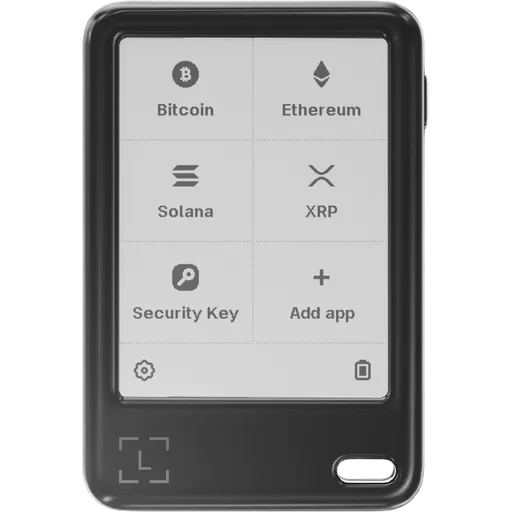
- +3.5-inch 480×800 IPS touchscreen (400 nits) with fingerprint unlock and haptic feedback
- +Recovery via 12/24-word BIP39, 20-word SLIP-39 shares and passphrase hidden wallets
Cons
- −Secure-element firmware source is not public, so the device is only partially open source
- −Coin Control, Tor and TOTP are announced as coming soon and are not available yet
- −At $278 it costs more than the Trezor Safe 7 ($249) and the Ledger Flex ($249)
- −No published IP rating for water or dust resistance
Best for These Profiles
Pre-Purchase Checklist
Important points to verify regardless of your choice
All wallets ship from official manufacturer stores with full warranty.
Keycard Shell vs OneKey Pro: Frequently Asked Questions
Answers about Keycard Shell vs OneKey Pro
Is Keycard Shell better than OneKey Pro?
On the numbers, OneKey Pro comes out ahead — 77/100 vs 66/100 — but 'better' isn't quite the right frame. Keycard Shell is more affordable at $129, which matters more for some buyers than overall score does. If overall rating is what you actually weigh first, take OneKey Pro. If budget is the constraint that shapes your decision, Keycard Shell is the smarter buy. Either way, both are real hardware wallets — neither is a mistake.
How much do Keycard Shell and OneKey Pro cost?
Keycard Shell costs $129, OneKey Pro costs $278. These are list prices for the standard edition from official manufacturer stores. A few things worth knowing: hardware wallet prices barely move during the year, so 'waiting for a sale' rarely pays off — Black Friday is the one exception, with 10–20% off being typical. Avoid third-party listings even if they're cheaper; the supply chain risk on a tampered device wipes out any savings the first time you load funds. And don't buy a 'used' hardware wallet, ever — even if it claims to be reset.
Which wallet is better for DeFi and Web3: Keycard Shell or OneKey Pro?
Keycard Shell — and the gap is bigger than the spec sheets make it look. Keycard Shell has WalletConnect built in, which means you sign DeFi transactions directly from a hardware wallet without exposing keys to a hot wallet. OneKey Pro can technically work with DeFi via third-party software, but every extra step is one more place an attacker can intercept the transaction you're approving. If you're going to be clicking 'Sign' on smart contracts more than once a month, the difference compounds fast.
Where to buy Keycard Shell at the best price?
Always buy Keycard Shell from the official Keycard store — never from Amazon, eBay, or third-party marketplaces, even if the price looks better. Hardware wallets have been physically tampered with in the supply chain before (compromised devices shipped to unsuspecting buyers, then drained the moment funds were loaded). Buying direct from Keycard gets you a sealed unit with full warranty, firmware integrity, and a clean chain of custody. Free shipping and occasional discounts at the source make the price difference negligible anyway.
Do Keycard Shell and OneKey Pro come with a warranty?
Yes — both ship with a manufacturer warranty (typically 1–2 years) when bought from the official store. That said, a hardware wallet warranty is mostly about hardware defects, not lost funds. If the device fails, the manufacturer will replace it — but your seed phrase or backup cards are what actually restore your crypto onto the new device. The warranty is real but secondary; what protects your funds is your backup discipline, not a piece of paper from {{wallet1}} or {{wallet2}}.
Made your decision?
Check out full reviews or find the best price from official vendors.
View best priceAffiliate link — we may earn a commission at no extra cost to you. Learn more
Not convinced? Consider these alternatives
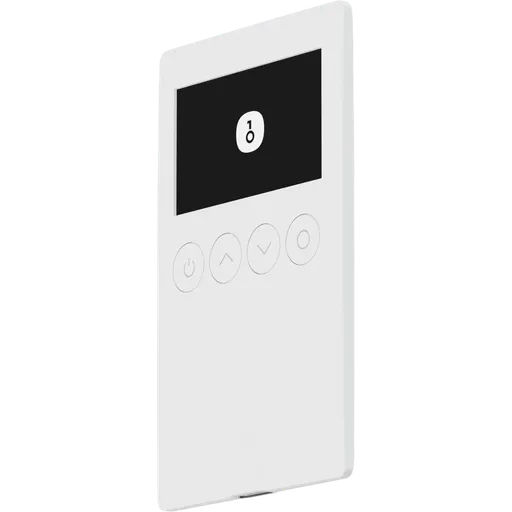
Secure ElementOpen SourceUSB100+ networks
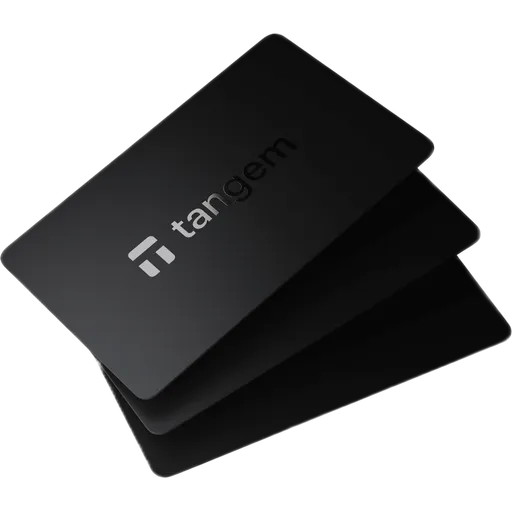
Secure ElementNFC100+ networks
More Comparisons
Compare Keycard Shell with other wallets
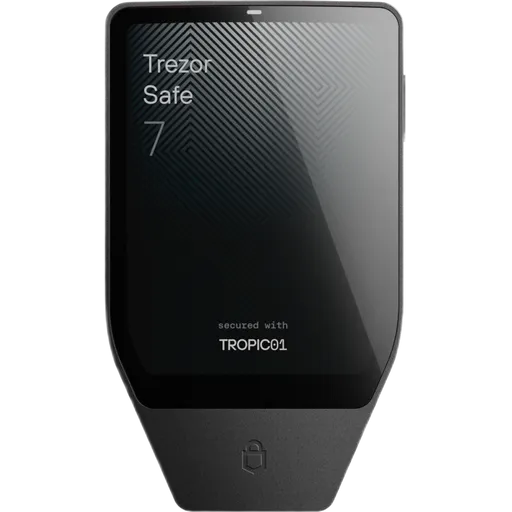
Official store
Keycard Shell$129 · 66/100
OneKey Pro$278 · 77/100
Affiliate link — we may earn a commission at no extra cost to you. Learn more